
This guide shows how to cut an ABUS padlock key by code using the 2M2 TANK CNC key cutting machine.
Key Cutting Procedure
Step 1: Select the Key Profile
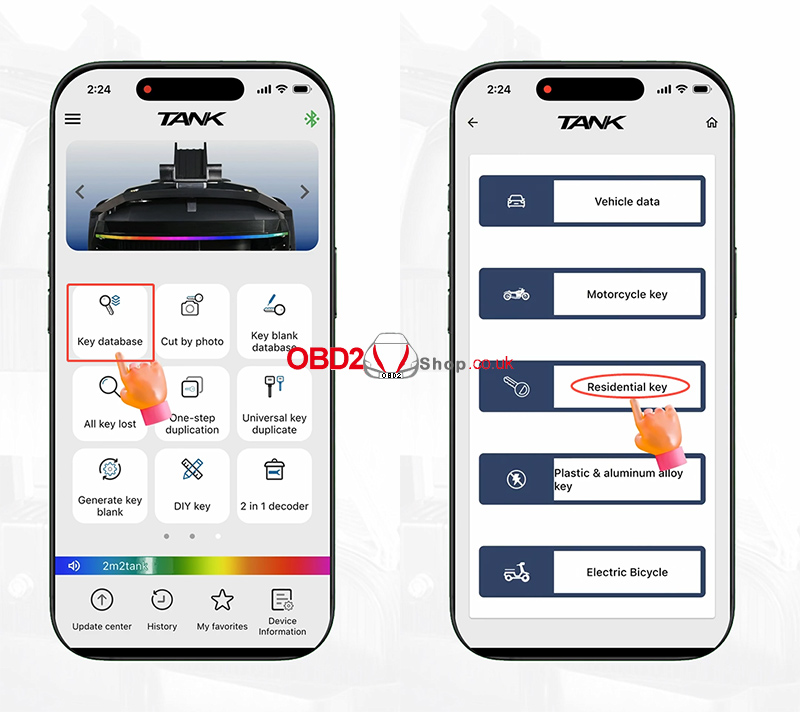
Turn on the 2M2 TANK CNC key cutting machine and open the Key Database.
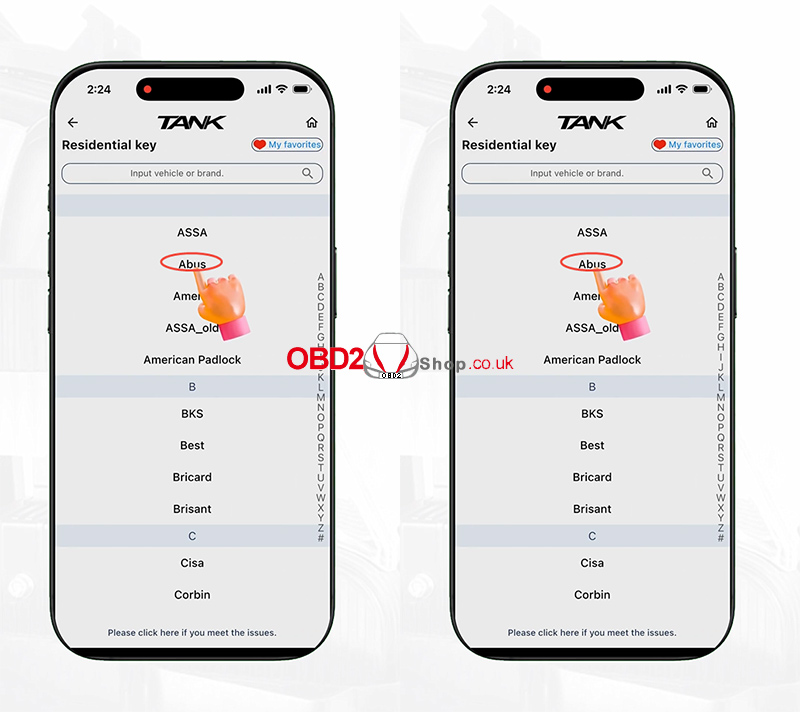
Go to: Residential Key → Key Catalog → ABUS
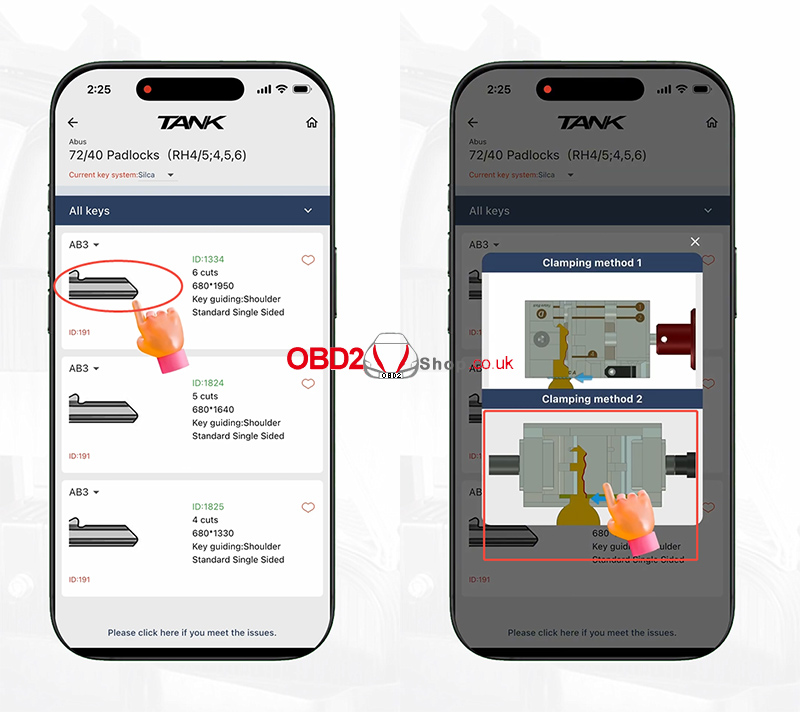
Find the corresponding key profile and click it. Then select the first option.
Select Residential Clamps.
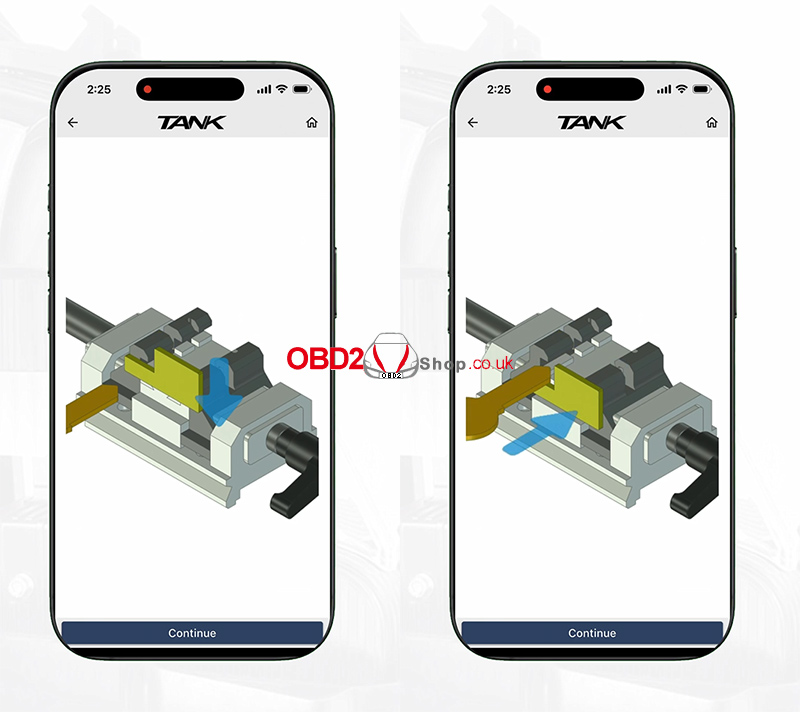
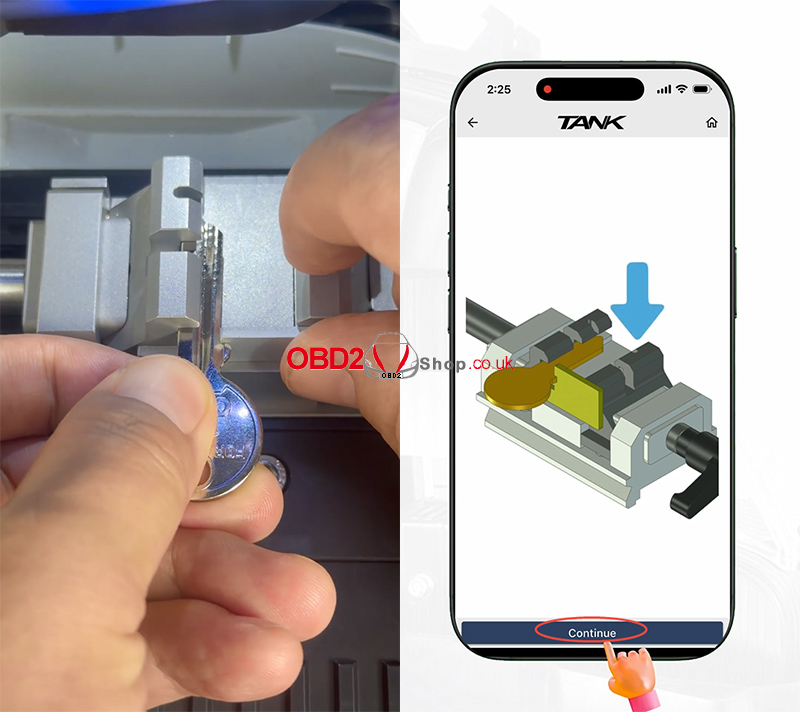
The machine will show the key installation guide. Install the key blank according to the guide picture.
Click Continue.
Step 2: Enter the Key Code
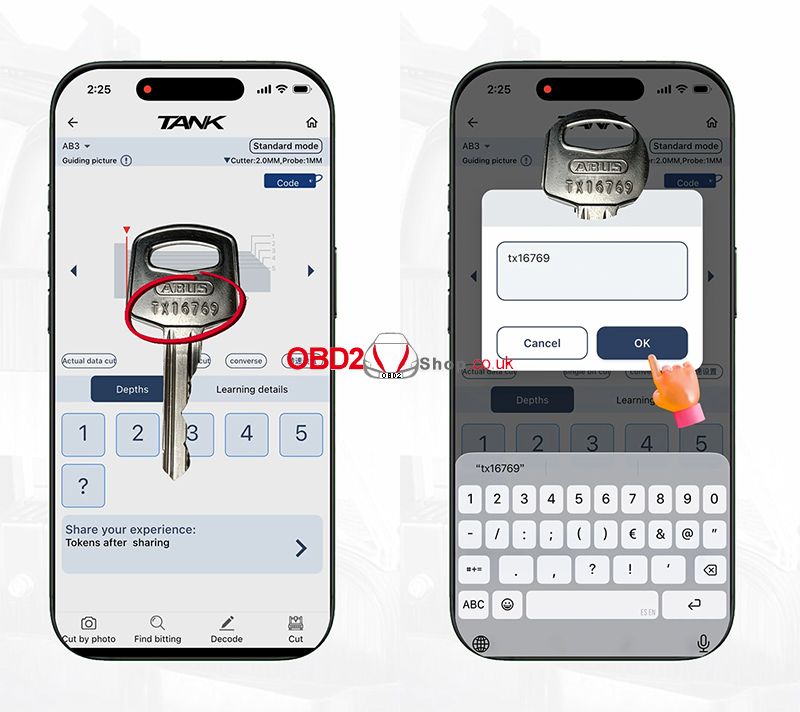
Check the original key.
Find the key code marked on it.
To get the key bittings from the code, click Code and enter: TX16769
Click OK.
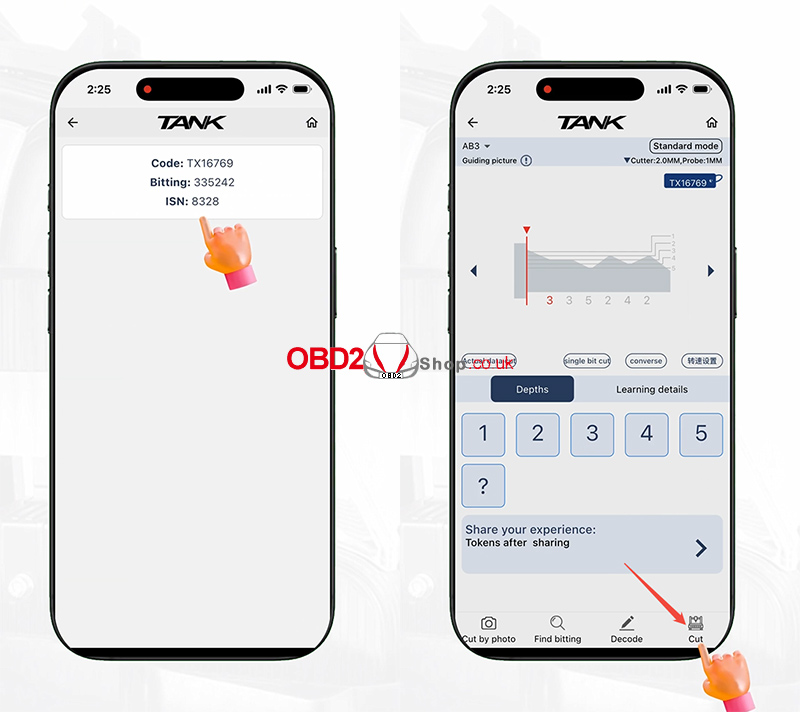
The corresponding key bittings will appear on the screen.
Select the bitting option.
Step 3: Start Cutting
After confirming the key bittings and key installation, click Cut.
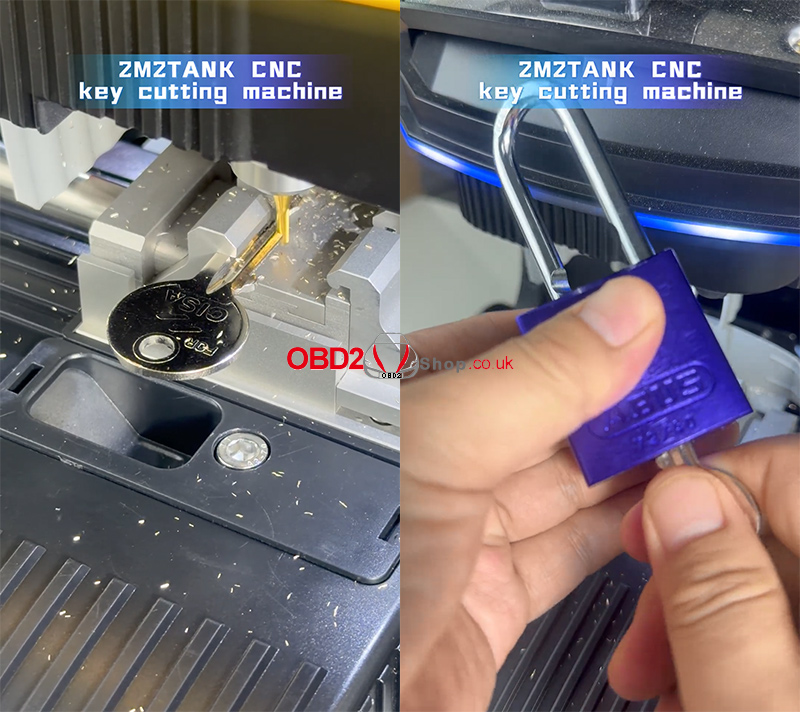
The 2M2 TANK CNC key cutting machine will then cut the ABUS padlock key according to the code.
Video Guide
Watch the video tutorial here:
