
This guide shows how to cut a Schlage key by code using the 2M2 TANK CNC Key Cutting Machine.
Tools Needed
2M2 TANK CNC Key Cutting Machine
Original Schlage key
Schlage key blank
Step 1: Select the Key Profile
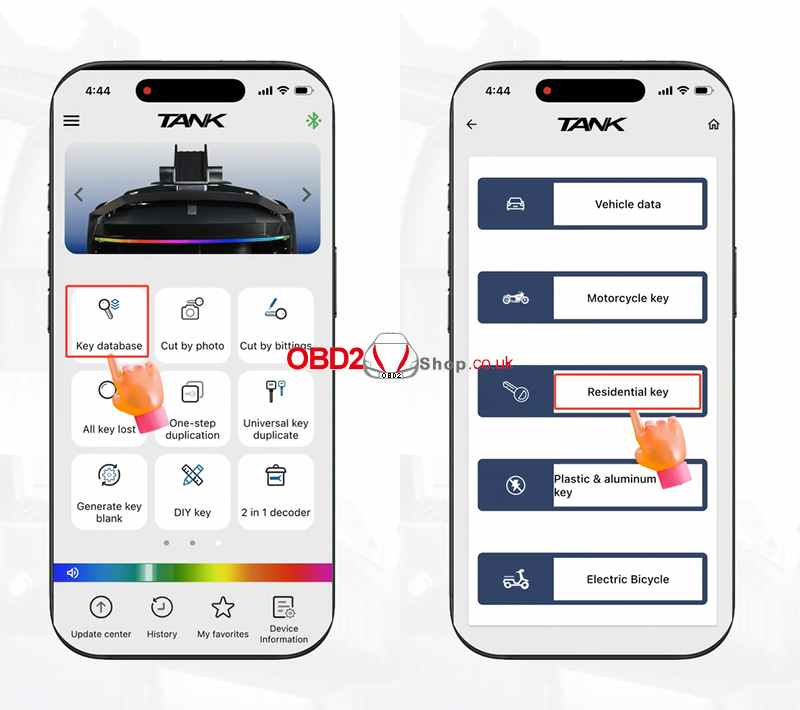
Turn on the 2M2 TANK CNC Key Cutting Machine and open the application.
Go to:
[Key Database] → [Residential Key]
Search for Schlage in the key database.
Select:
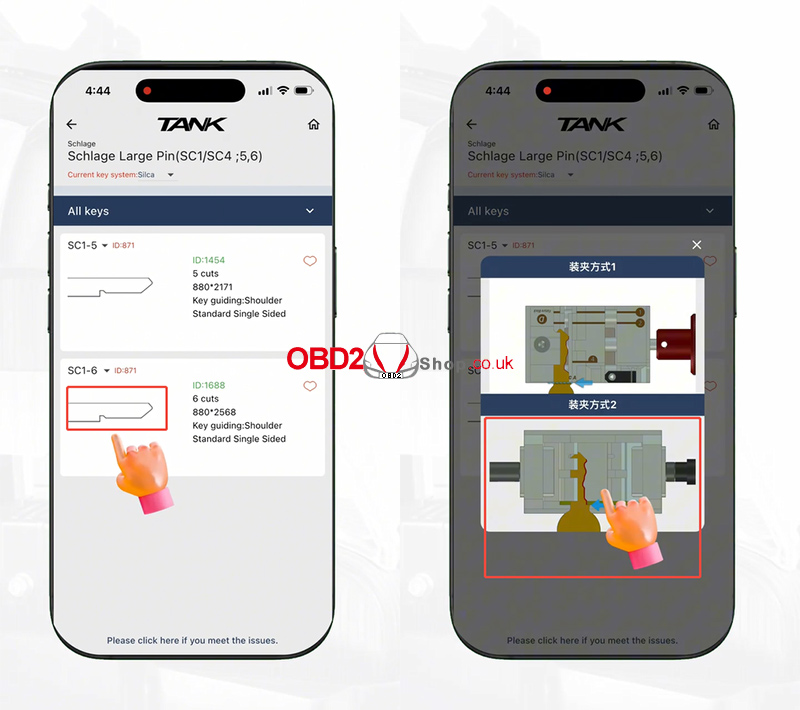
Schlage Large Pin (SC1/SC4; 5,6)
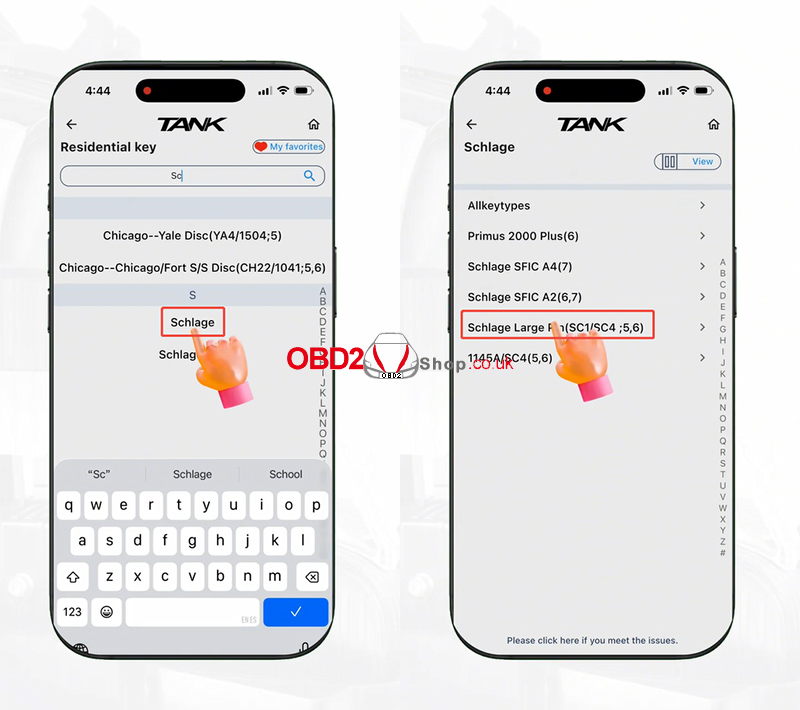
This key has six spaces. Select the second option according to the key type.
Step 2: Install the Key
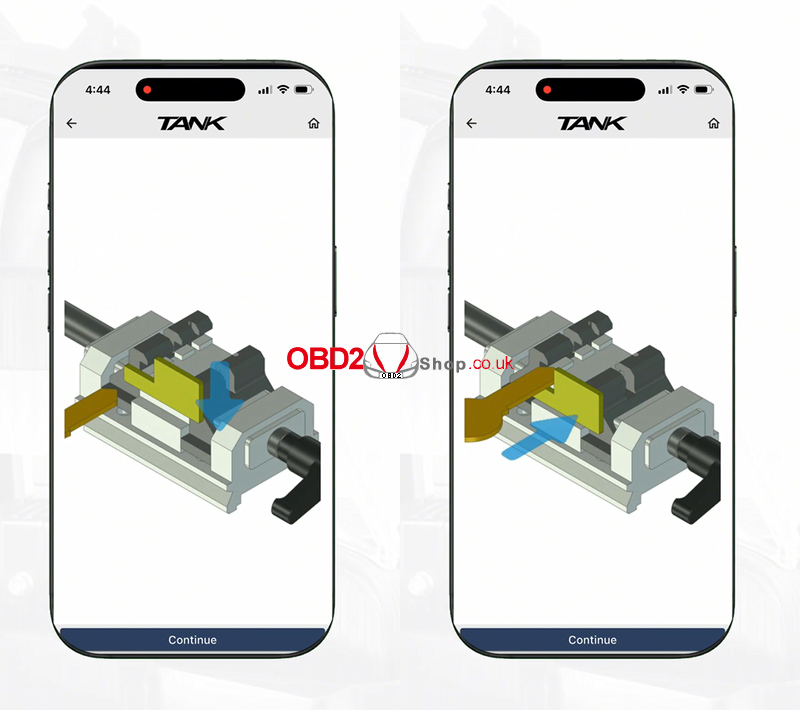
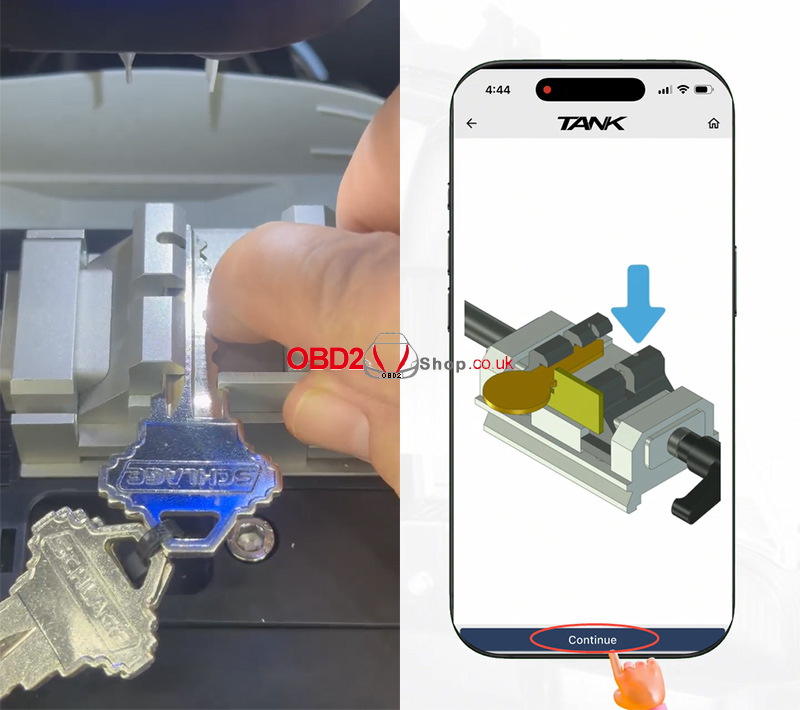
Select the residential clamps.
The application will display a key installation guide. Follow the guide to install the Schlage key correctly on the clamp.
After you securely install the key, click [Continue].
Step 3: Decode the Key
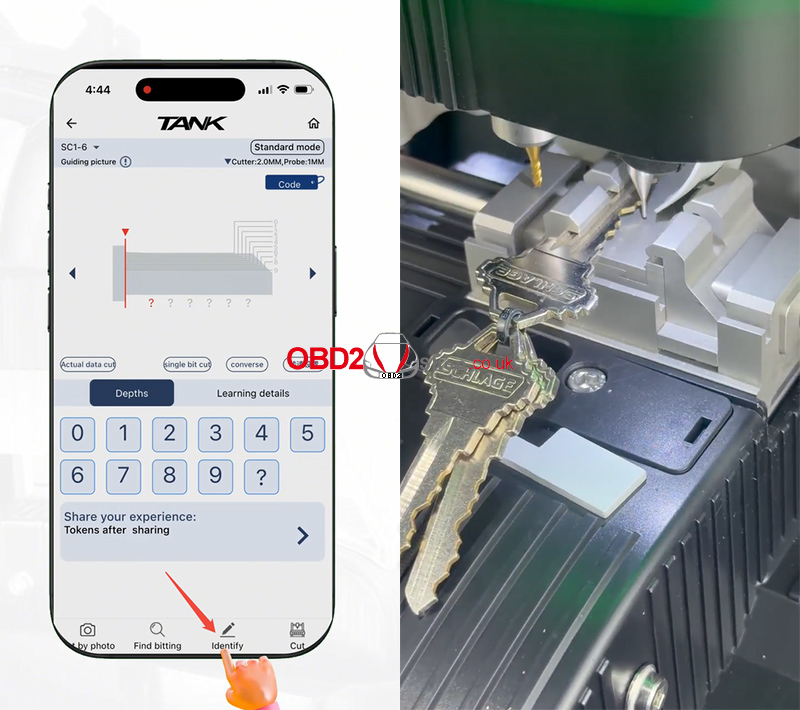
Click [Identify].
The 2M2 TANK will start decoding the key automatically.
Wait until the decoding process is complete. The key bittings will then be displayed and ready for cutting.
Step 4: Cut the Key
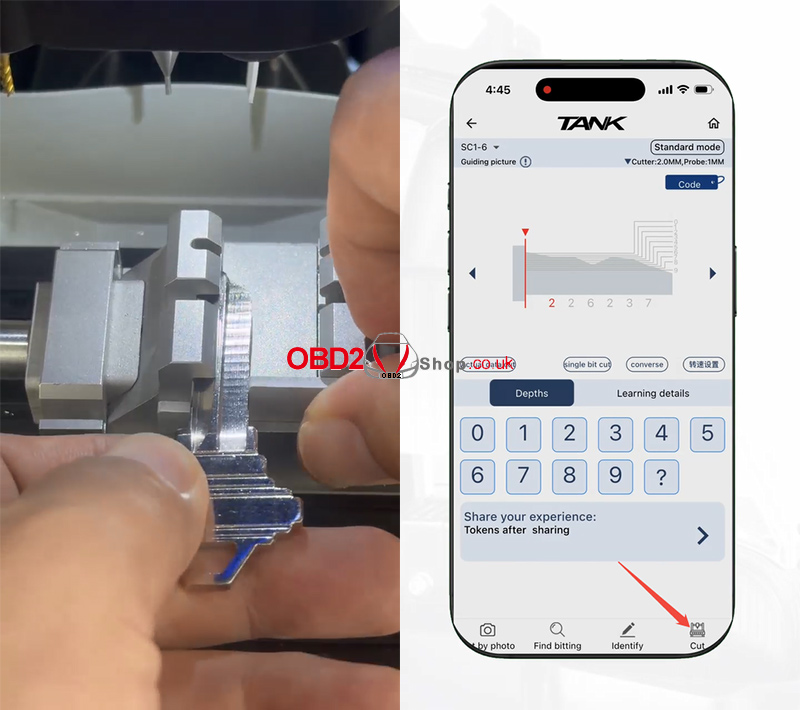
Next, remove the original key and install the key blank on the machine according to the installation guide.
Make sure the key blank is properly secured.
Finally, click [Cut] to start cutting the key.
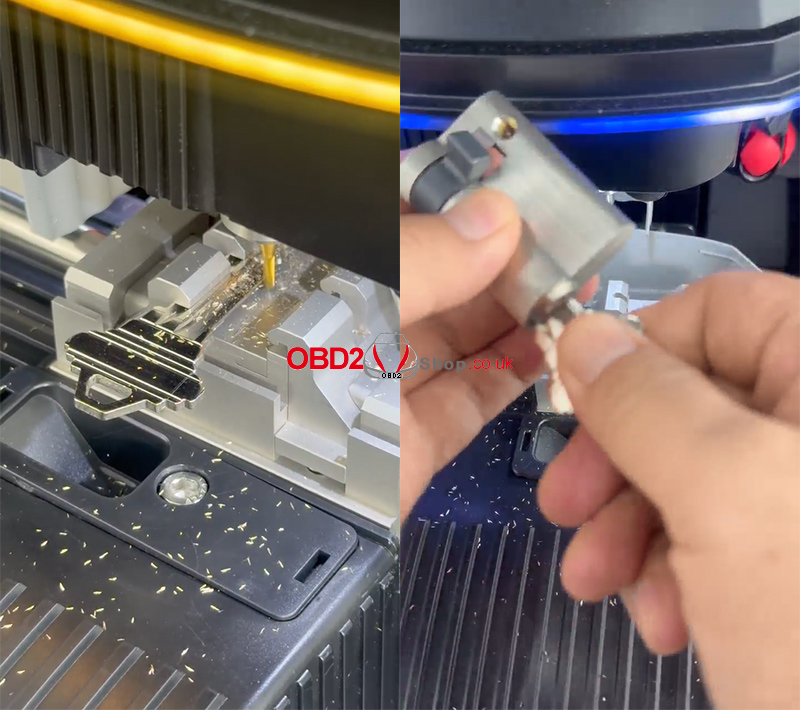
After the cutting process is finished, remove the new key and check the cuts.
Video Guide
For a visual demonstration, watch the video guide:
For more key cutting solutions and automotive locksmith tools, visit:
www.obd2shop.co.uk
