
Keeping your MDCI updated ensures the best performance and stable DOIP communication when using the TOPDON Phoenix Smart or Phoenix Max. Follow the simple steps below to complete the update process smoothly.
Step 1: Connect the MDCI to Power & Internet
For the fastest and most stable update process, it is recommended to connect the MDCI using:
A power supply
An Ethernet cable
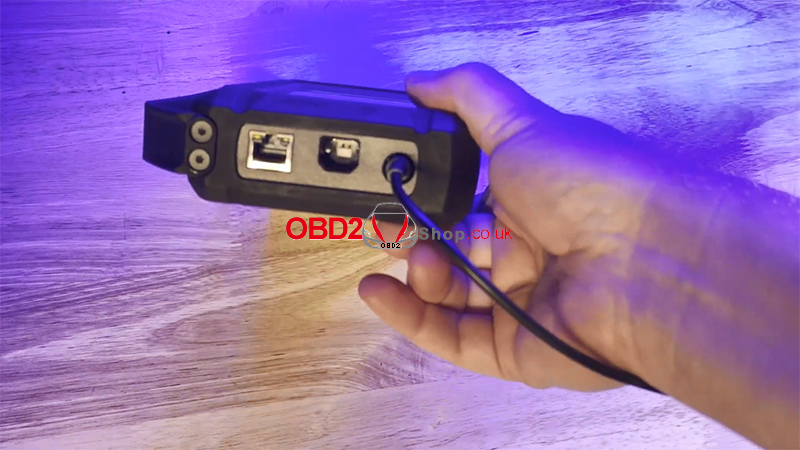
You can also use Wi-Fi if Ethernet is unavailable.
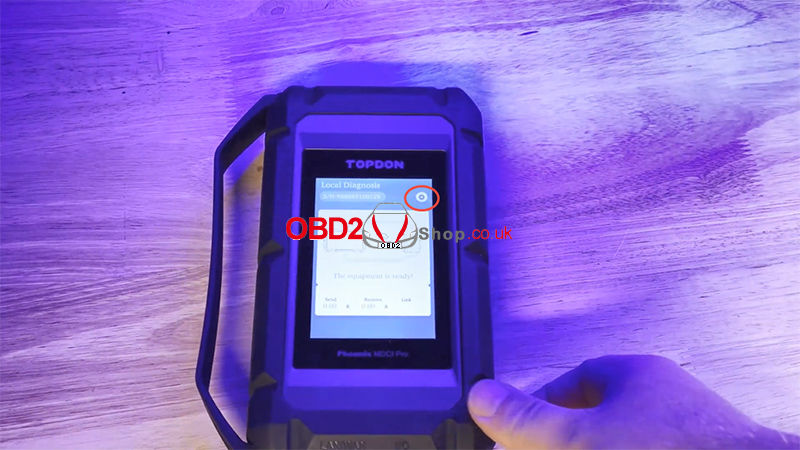
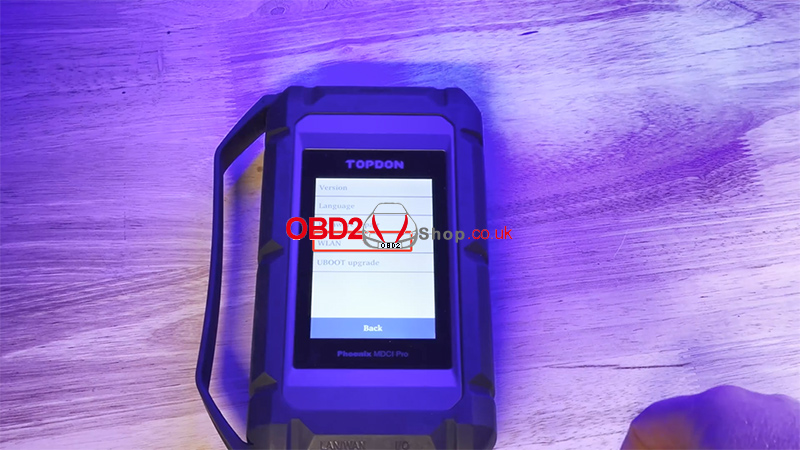
Connect to Wi-Fi
Tap the gear icon in the top-right corner, then select [WLAN] and enter your Wi-Fi network information.

Step 2: Check for Firmware Updates
Once connected to the internet, the MDCI will automatically check for the latest software and firmware updates.


Allow the update process to complete without interruption.
Step 3: Reboot the MDCI
After all updates are finished:
1. Disconnect the power supply cable
2. Power the MDCI back on
3. Let the device reconnect to the internet and check for updates again
Some updates are installed sequentially, so multiple update cycles may be required.
Important Notes
Manually reconnect the MDCI to Wi-Fi after every reboot so it can continue checking for updates.
Repeat the update process 2–3 times to ensure the MDCI is fully updated.

Update Complete
Once the update process is fully completed, your MDCI is ready to work again with the Phoenix Smart or Phoenix Max. Updated firmware helps optimize DOIP functionality and improves overall communication stability and performance.
For a full step-by-step video tutorial:
