
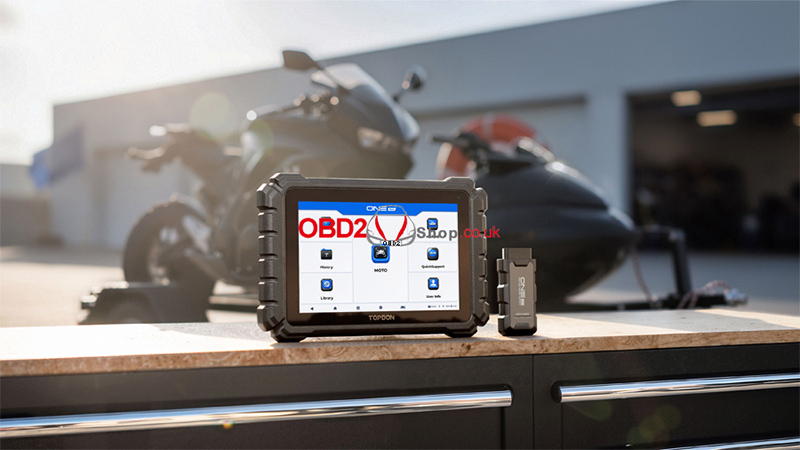
The TOPDON ONE Moto Diagnostic Scanner provides comprehensive motorcycle diagnostics and supports advanced functions through the ONE VCI. Below are answers to some frequently asked questions about firmware updates, J2534 Pass-Thru, software expiration, and communication issues.
Q1: Do I need to update the firmware before using the product for the first time?
A: Yes. The firmware will automatically update to the latest version once you connect the ONE VCI to your tablet.
You can also update the firmware manually by going to User Info > Firmware Update.
Q2: Why does the tablet screen flash when the engine is running?
A: This is a normal occurrence caused by electromagnetic interference when the engine is running. It does not indicate a device malfunction.
Q3: How does the ONE VCI work as a J2534 Pass-Thru device?
A: Follow the steps below to use the ONE VCI as a J2534 Pass-Thru device:
- Download and install RLink Platform from the official TOPDON website.
- Launch RLink Platform and log in with the same TOPDON account used on the tablet.
- Connect the ONE VCI to a Windows-based computer with RLink Platform installed using a USB cable. Then connect the ONE VCI to the vehicle’s DLC using the OBD-II diagnostics cable.
- Click Bind and Activate to link the ONE VCI to RLink Platform.
- Go to Driver > Driver Download to download and install the corresponding OEM driver.
- Additional steps may vary depending on the vehicle make, model, and year. For detailed instructions, go to User Guidance > Quick Guidance > ONE VCI to view the instructions for supported vehicle makes.
Note: Before performing diagnostics, you must download and install the required OEM diagnostic software on your computer. If you encounter any issues during installation, log in to RLink Platform and go to User Guidance > Install OEM Software for installation instructions for major manufacturers.
The ONE Moto Diagnostic Scanner does not include OEM diagnostic software. You need to subscribe to the required software through the corresponding manufacturer’s official website.
Q4: Which vehicle makes are supported by the ONE VCI under the J2534 protocol?
A: The vehicle makes supported by the ONE VCI under the J2534 protocol are continuously updated.
Currently, supported makes include:
- GM
- Chrysler
- Ford
- Honda
- Hyundai
- Kia
- Land Rover
- Mazda
- Mitsubishi
- Nissan
- Subaru
- Toyota
- Volvo
- Volkswagen
Q5: Can the device still be used after the free software update expires?
A: Yes. Even after the free software update period expires, the core diagnostic functions remain available, including:
- EOBD
- DTC reading and clearing
- Data streaming
- Active tests
- Maintenance services
Q6: Which advanced features will no longer be available after the software expires?
A: Some advanced features will no longer be accessible after the software expires, including:
- Vehicle software updates
- ECU coding
- ECU programming
- TopFix AI
Q7: What should I do if a communication error occurs?
A: If a communication error occurs, follow these troubleshooting steps:
- Check whether the ignition is ON.
- Make sure the ONE VCI is securely connected to the vehicle’s DLC.
- Turn the ignition OFF, wait for 10 seconds, then turn it ON again and continue the operation.
- Check whether the vehicle’s control module is defective.
- If the problem persists, contact TOPDON customer service or the vehicle manufacturer for further assistance.
Conclusion
These FAQs cover some of the most common questions about using the TOPDON ONE Moto, including firmware updates, J2534 Pass-Thru operation, supported vehicle makes, software expiration, and communication troubleshooting. Following the recommended steps can help ensure a smoother diagnostic experience.
