
This quick user guide walks you through the basic setup and operation of the TopScan Moto wireless diagnostic tool. For the best user experience, please read and follow all instructions and warnings carefully before using this product.
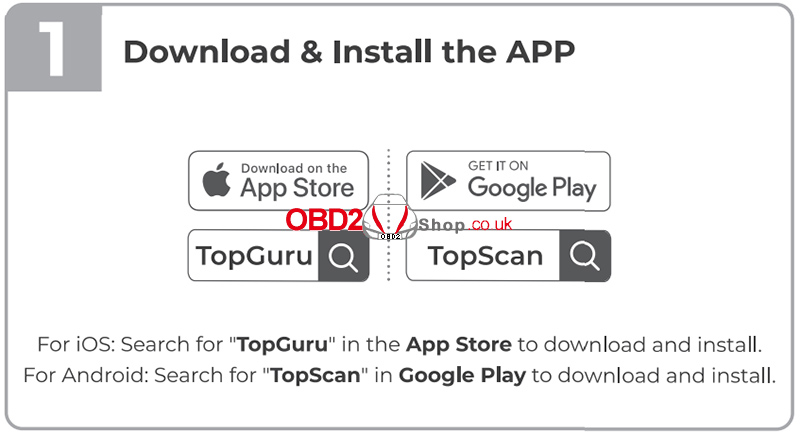
1. Download and Install the APP
To begin, download the official app according to your mobile device:
iOS: Search for “TopGuru” in the Apple App Store and download the app.
Android: Search for “TopScan” in Google Play and install the app.
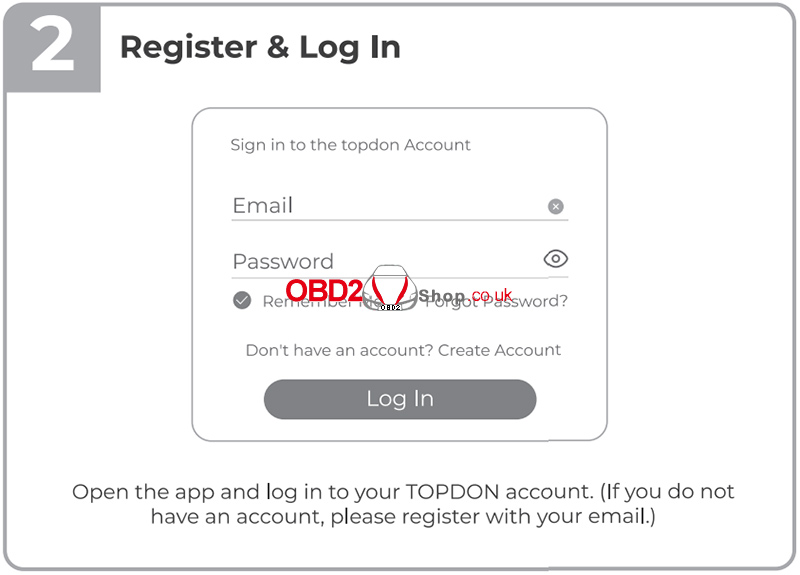
2. Register and Log In
Open the app and log in using your TOPDON account.
If you do not already have an account, tap Register and sign up using your email address.
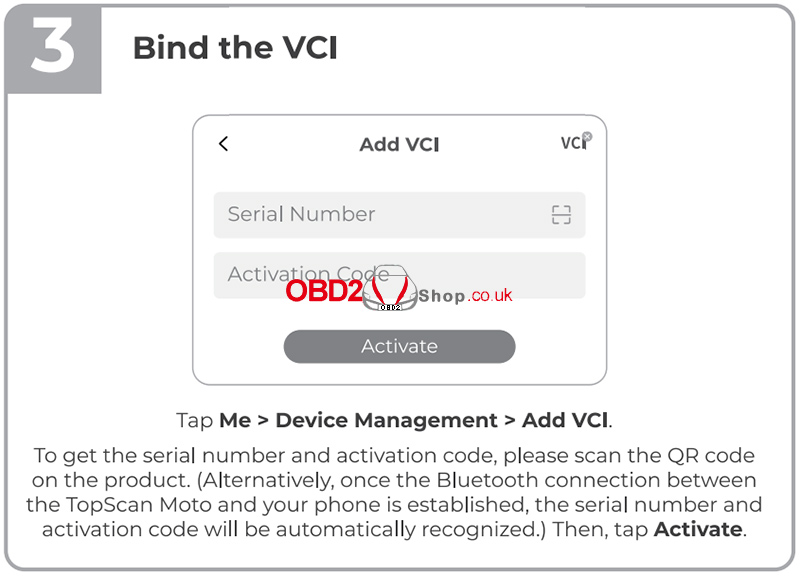
3. Bind the VCI
To bind the TopScan Moto VCI (Vehicle Communication Interface):
① Tap Me > Device Management > Add VCI.
② Scan the QR code on the product to obtain the serial number and activation code.
Alternatively, once Bluetooth is connected, the app will automatically recognize the serial number and activation code.
③ Tap Activate to complete the binding process.
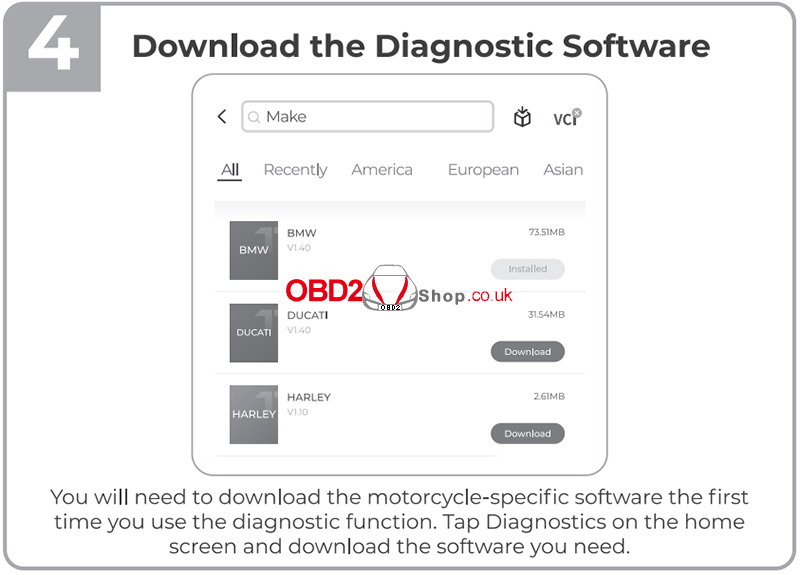
4. Download the Diagnostic Software
When using the diagnostic function for the first time, you must download the motorcycle-specific software:
Tap Diagnostics on the home screen.
Select your motorcycle brand and download the required diagnostic software.
5. Connect the TopScan Moto to the Motorcycle
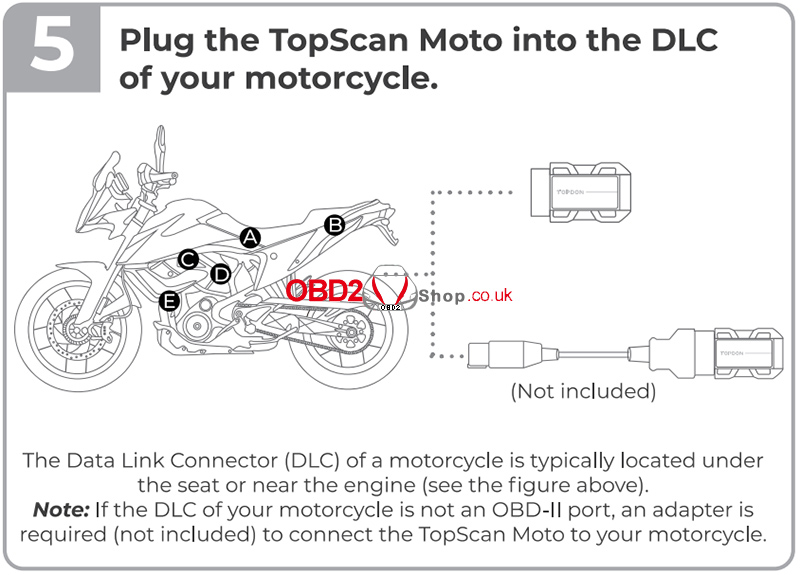
Plug the TopScan Moto into the Data Link Connector (DLC) of your motorcycle.
The DLC is usually located under the seat or near the engine.
If your motorcycle does not have a standard OBD-II port, a compatible adapter cable (not included) is required.
6. Turn the Ignition ON
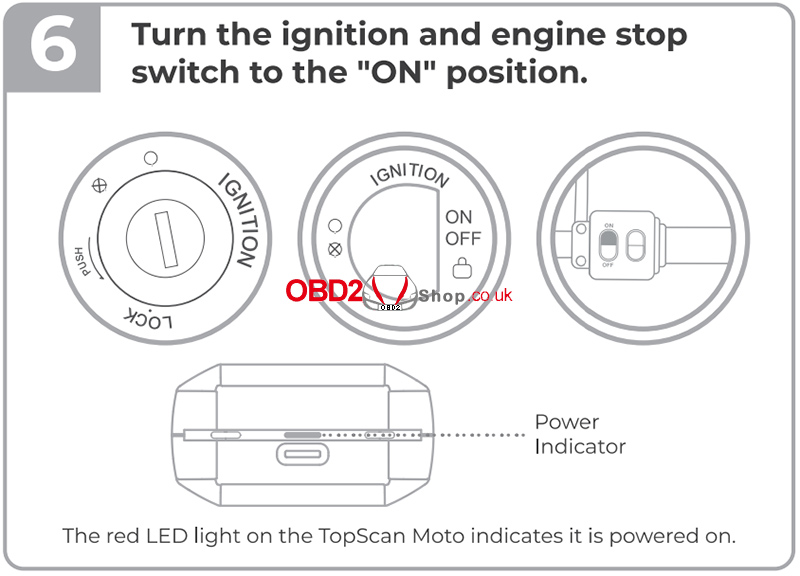
Turn the ignition switch and the engine stop switch to the ON position.
The red LED on the TopScan Moto indicates that the device is powered on.
7. Establish Bluetooth Connection
To connect the device via Bluetooth:
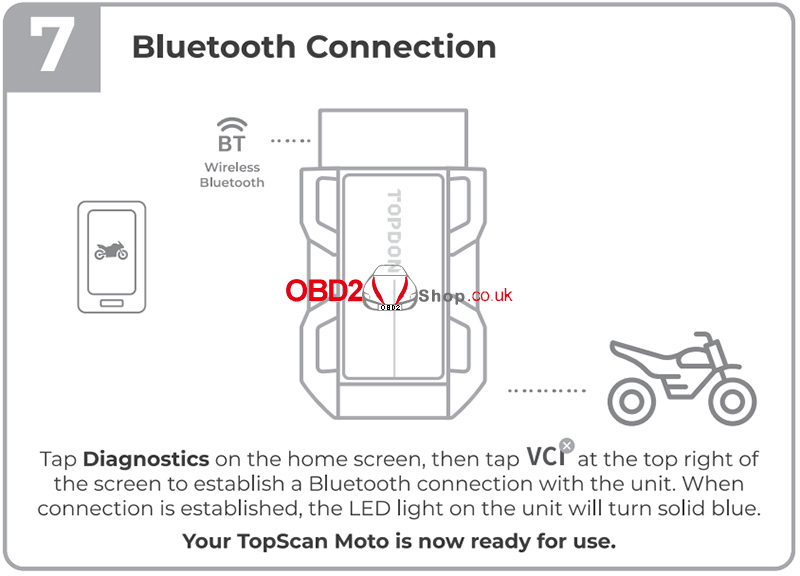
① Tap Diagnostics on the home screen.
② Tap VCI in the top-right corner to connect to the TopScan Moto.
③ Once the connection is successful, the LED on the unit will turn solid blue.
Your TopScan Moto is now ready for use.
For more information, please visit:
www.obd2shop.co.uk
