

This tutorial provides a concise guide to adding a VW, Audi, or Porsche 5C/5D key using the Yanhua Mini ACDP and Module 44. Follow these streamlined steps to complete the programming process efficiently via OBD and ICP modes.
Preparation & Connection
- OBD Connection: Plug the ACDP into the vehicle’s OBD interface using the OBD cable.
- Ignition: Turn on the ignition and ensure the instrument cluster is lit.
- Device Binding: Open the ACDP app and confirm that the programmer is successfully bound in the top-right corner.
Watch Video Tutorial:
Step 1: Identify Vehicle & Key Information
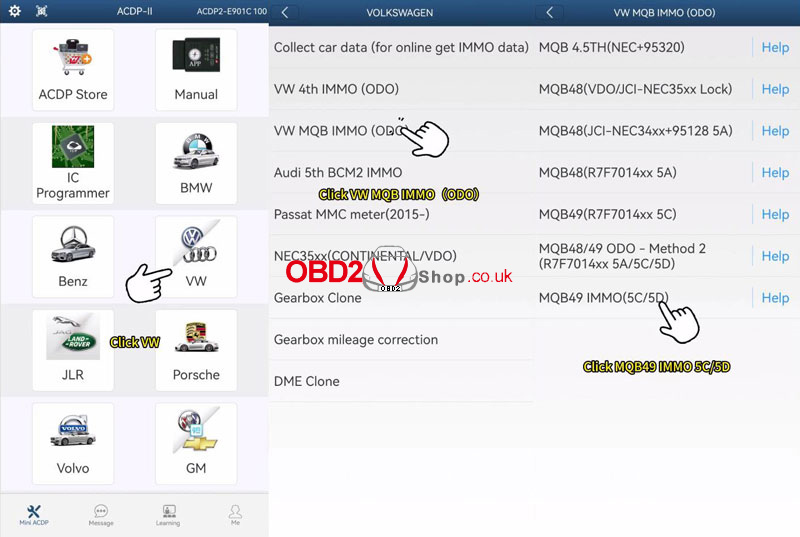
- Path: Navigate to VW > VW MQB IMMO(ODO)> MQB49 IMMO(5C/5D).
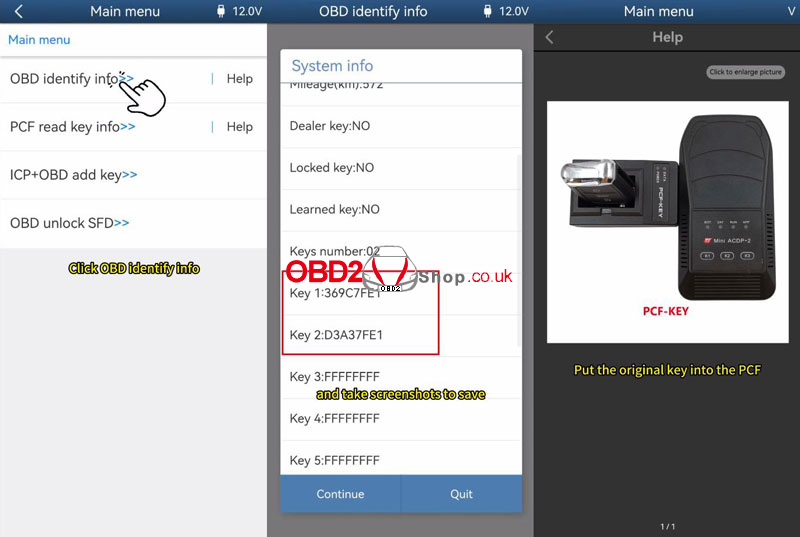
- OBD Identify: Select OBD identify info to verify car data.
- Documentation: Take screenshots of the key ID and quantity for your records.
- PCF Read: Place the original key into the PCF adapter and click “PCF read key info” to verify its ID.
Note: If prompted, perform an adapter upgrade under “Special Functions> Adapter Upgrade > PCF-KEY Upgrade” before proceeding.
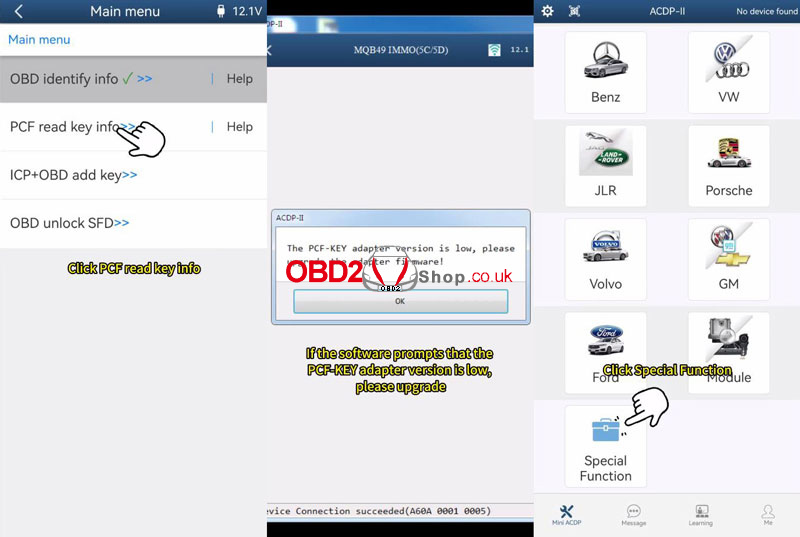
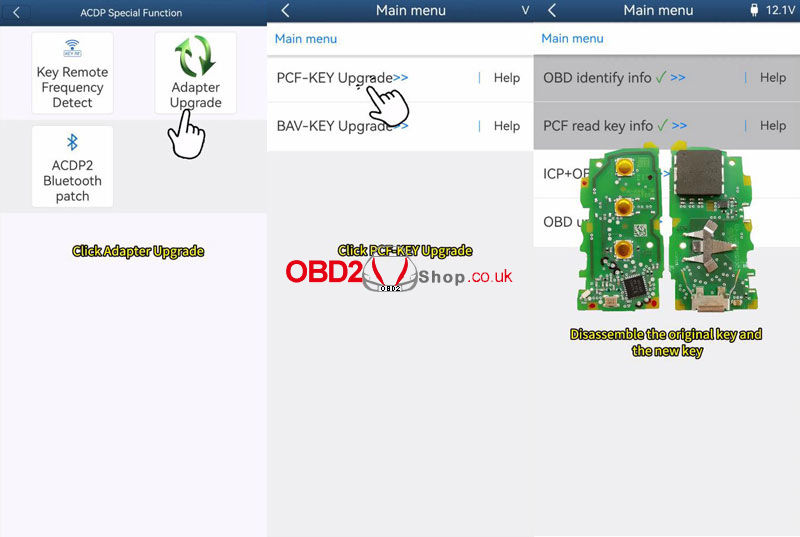
Step 2: ICP Data Reading & Dealer Key Preparation
- Disassembly: Disassemble both the original and new keys to access the circuit boards.
- Read Key Data: Connect the original key plate to the interface board and ACDP. Select ICP+OBD add key > VW 5C Magotan >Step 1: ICP read work key, and save the backup file (ensure it ends in .bin).
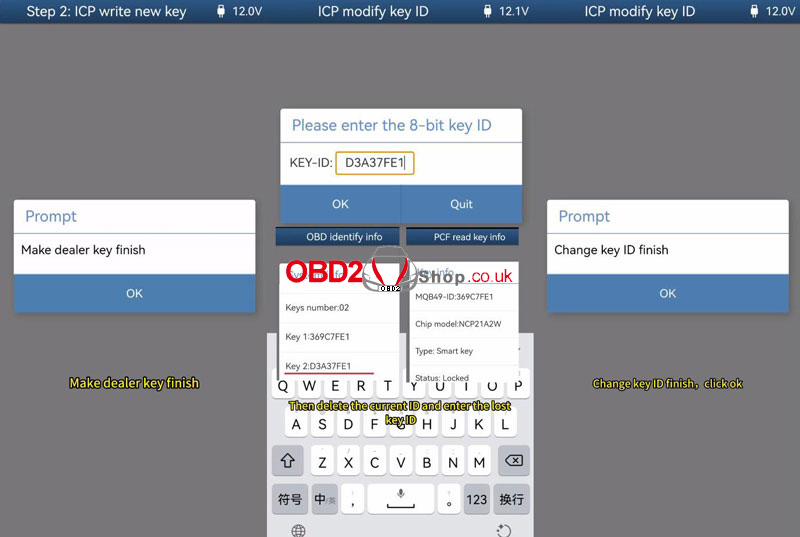
- Write New Key: Replace the original key plate with the new blank key plate. Select Step 2: ICP write new key, load the previously saved .bin file, and click Make dealer key.
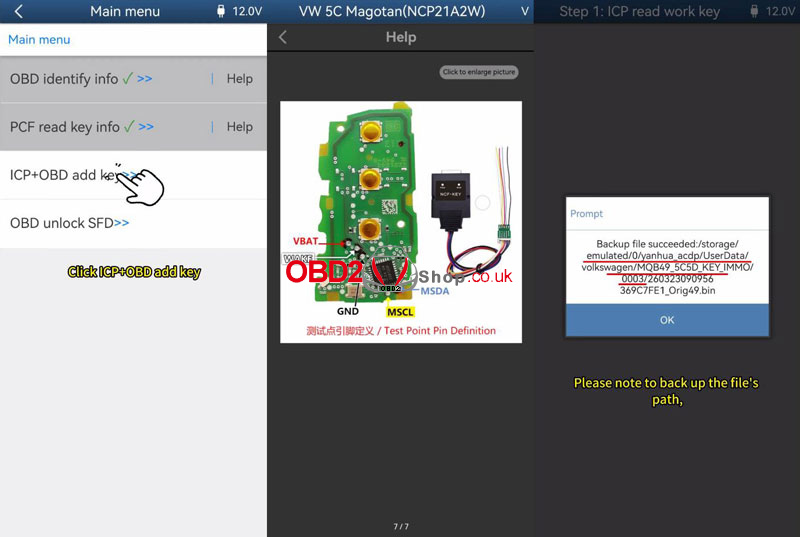
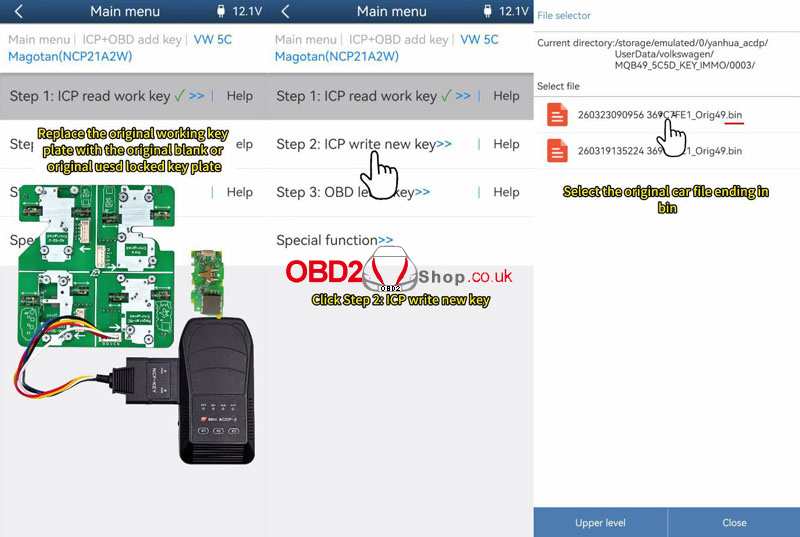
Step 3: Modify Key ID (Optional but Recommended)
- Function: Go to Special Function > ICP modify key ID.
- Adjustment: Enter the “lost” key ID found in your previous OBD screenshots.
- Purpose: This ensures the vehicle can be programmed normally in the future. Do not modify it to the working key ID.
Step 4: OBD Key Learning
- Restore: Reassemble the keys with batteries, turn on the ignition, and open the vehicle hood.
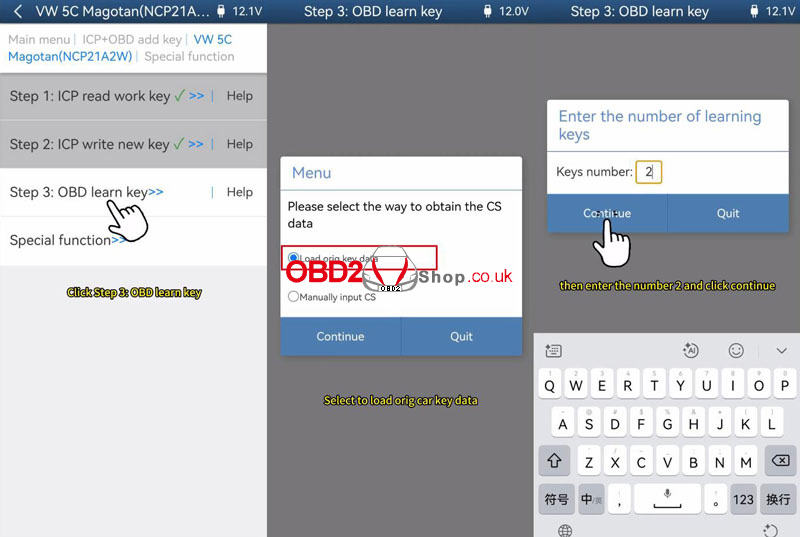
- Start Learning: Select Step 3: OBD Learn key and load the original car data file.
- Key Quantity: Enter the total number of keys to be learned (e.g., “2”).
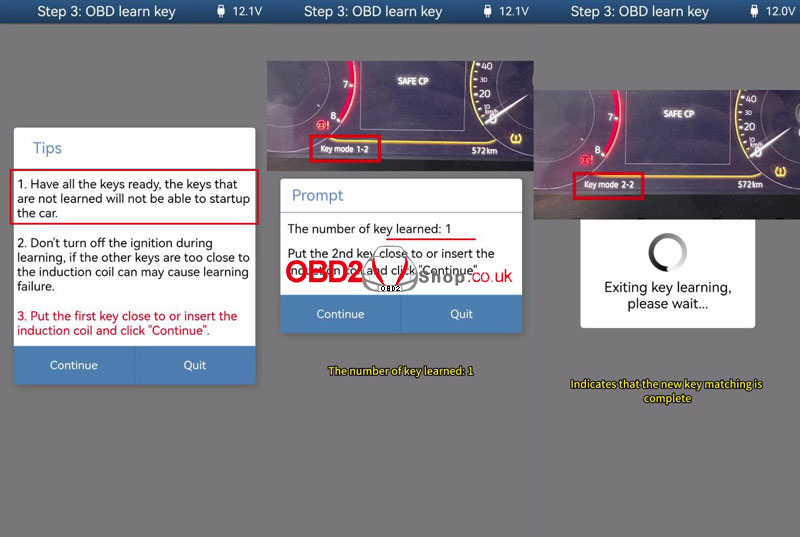
- Induction: Place each key near the induction coil one by one as prompted.
- Confirmation: The instrument cluster will display the learning progress (e.g., 2-2) once complete.
Final Check: Verify that both the original and new keys start the vehicle and operate all remote functions properly.