
The TOPDON ArtiDiag900 BT is a diagnostic tool that helps users identify vehicle issues. This FAQ guide covers common connection problems, communication errors, software updates, screenshots, and VCI firmware updates.
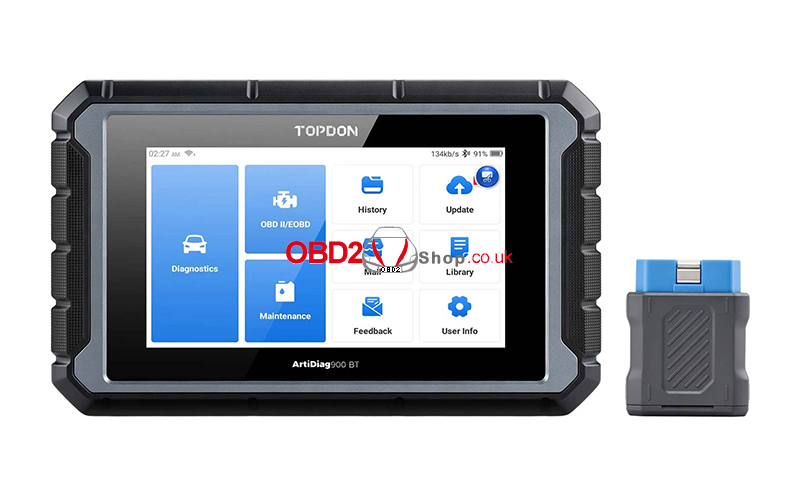
Q1: Why Does the ArtiDiag900 BT Not Respond When Connected to a Vehicle?
If the scanner does not respond when connected to a vehicle, please check the following:
– Ensure the connection between the VCI and the vehicle’s diagnostic socket is secure.
– Make sure the ignition switch is turned on.
– Confirm that the vehicle is supported by the scanner.
– Check whether the scanner software and VCI firmware are up to date. If not, update them and try again.
– Check the VCI indicator status and refer to the indicator descriptions in the user manual.
Q2: Why Does the System Stop When Reading the Data Stream?
This issue may be caused by a loose VCI dongle connection.
Unplug the VCI dongle and reconnect it securely. Then, try reading the data stream again.
Q3: How Can I Fix a Communication Error with the Vehicle ECU?
If the ArtiDiag900 BT displays a communication error with the vehicle ECU, follow these steps:
1. Check that the VCI dongle is properly connected.
2. Make sure the vehicle’s ignition switch is turned on.
3. Check whether the scanner software and VCI firmware are up to date, and install any available updates.
4. Check the VCI indicator status according to the user manual.
If the problem persists, use the Feedback feature to send your vehicle’s year, make, model, and VIN to the technical support team for further assistance.
Q4: Why Does the Screen Flash When the Engine Starts?
Screen flashing when the engine starts is normal and may be caused by electromagnetic interference.
Q5: How Do I Upgrade the System Software?
Follow these steps to upgrade the ArtiDiag900 BT system software:
1. Power on the tool and ensure it has a stable internet connection.
2. Go to “Settings > App Update”.
3. Tap “OTA”, then tap “Check Version” to enter the system upgrade interface.
4. Follow the on-screen instructions to complete the upgrade.
The update may take a few minutes, depending on your network connection. Once the upgrade is complete, the tool will restart automatically and display the main interface.
Q6: How Do I Take a Screenshot?
To capture the current screen, tap the “Screenshots” icon on the display. The screenshot will be saved in the “Photo Album” module, where you can view it later.
Q7: Does the VCI Dongle Need to Be Updated?
Yes. The VCI firmware can be updated through the scanner.
Follow these steps:
1. Connect the scanner to the internet.
2. Connect the VCI dongle to a vehicle.
3. On the home screen, go to “Settings” and select “Firmware fix”.
4. Follow the on-screen instructions to complete the firmware update.
5. Once the update is complete, unplug the VCI dongle and reconnect it on the firmware update completion page.
Make sure the scanner has a stable internet connection, and the VCI is connected to the vehicle before starting the firmware update.
Conclusion
These FAQs cover some of the most common issues encountered when using the TOPDON ArtiDiag900 BT. Checking connections, verifying software versions, and keeping the VCI firmware up to date can help resolve many common problems. If a vehicle communication issue persists, use the Feedback feature to contact technical support for assistance.
