
Follow the steps below to connect Topdon UltraDiag to the VCI for vehicle diagnostics.
Step 1: Open the VCI Interface
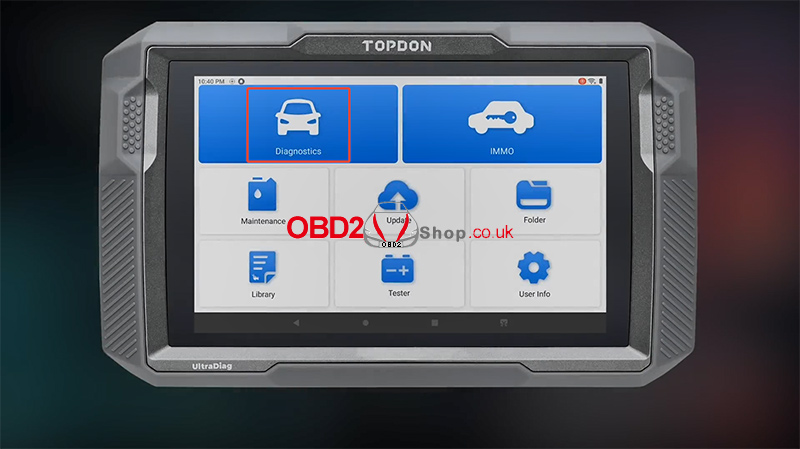
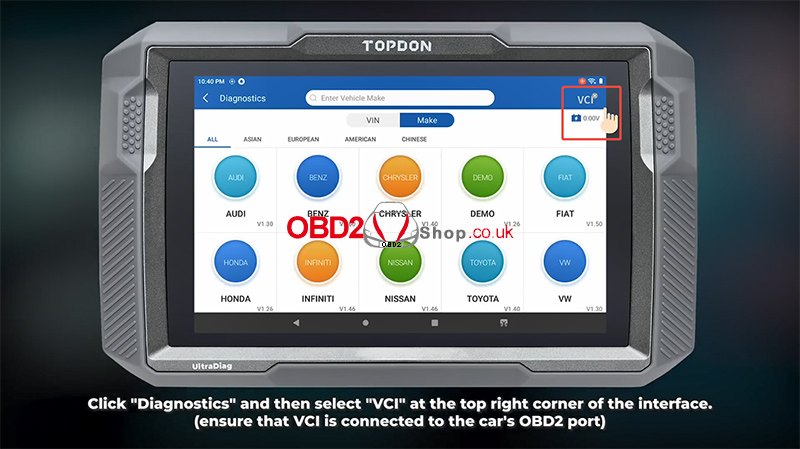
Click “Diagnostics”, then select “VCI” in the top-right corner of the interface.
Make sure the VCI is properly connected to the vehicle’s OBD2 port.
Step 2: Search for and Select the VCI
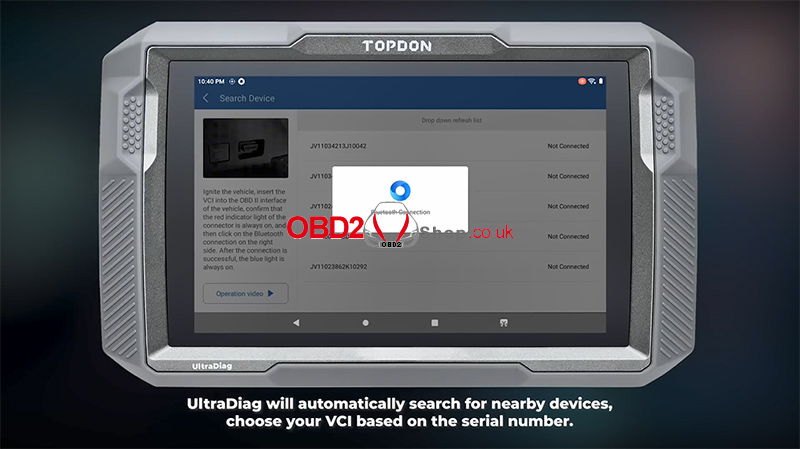
UltraDiag will automatically search for nearby devices. Select your VCI according to its serial number to establish the connection.
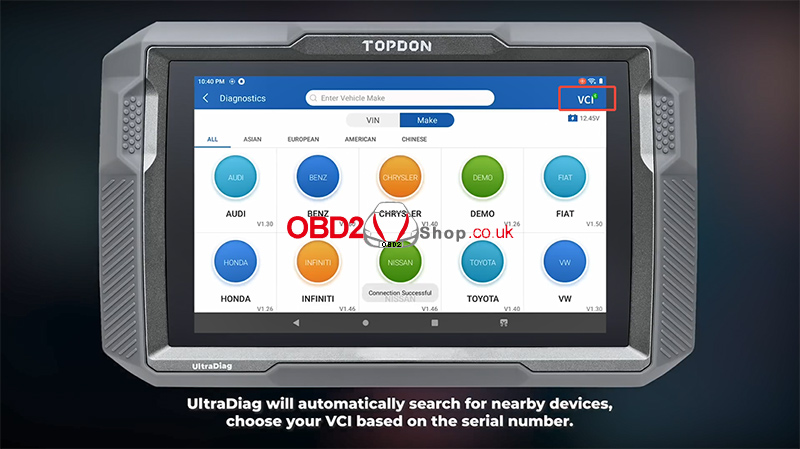
Once connected, you can proceed with vehicle diagnostics.
For more automotive diagnostic tools and information, visit www.obd2shop.co.uk.
