
This guide explains how to use OBDSTAR ECU MASTER to read and write data from a KRONE BOSCH EDC7C32 ECU via BENCH mode.
Preparation
Prepare the following tools:
- Computer
- OBDSTAR ECU MASTER
- High-Power DC Regulated Power Supply
- USB Cable
- HD-008
- BENCH-D-V1
- KRONE BOSCH EDC7C32 ECU (M58BW016XB + 95640)
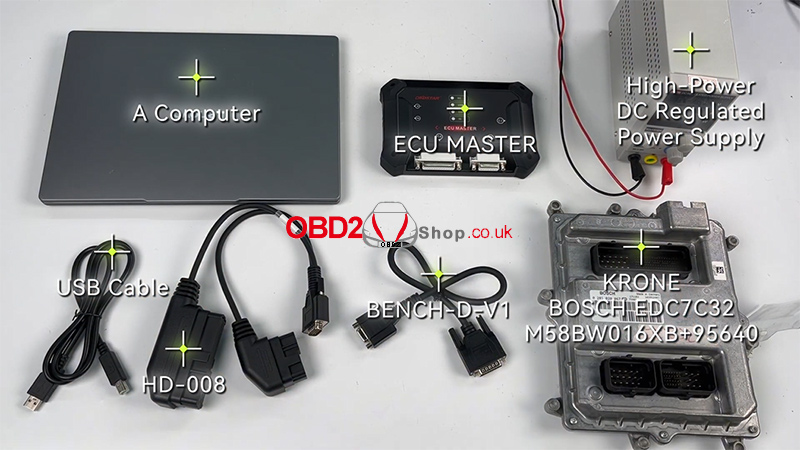
Step 1: Connect ECU MASTER
Connect the ECU MASTER to the computer using a USB cable.
Open the software and go to:
ECU Flasher → HD → ECM
Search for the corresponding ECU model using the search box in the top-right corner.
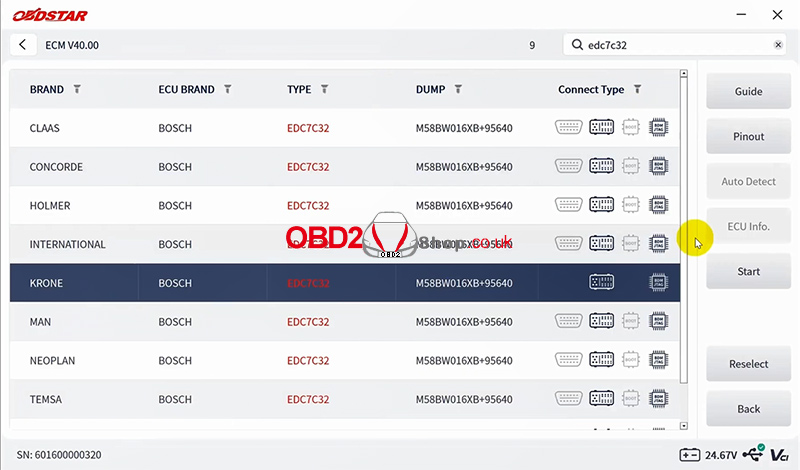
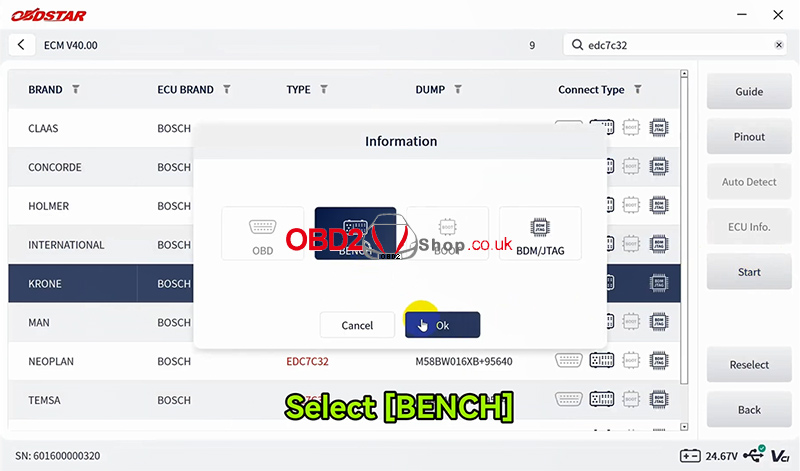
Step 2: Select BENCH Mode
Tap:
Start → BENCH → OK
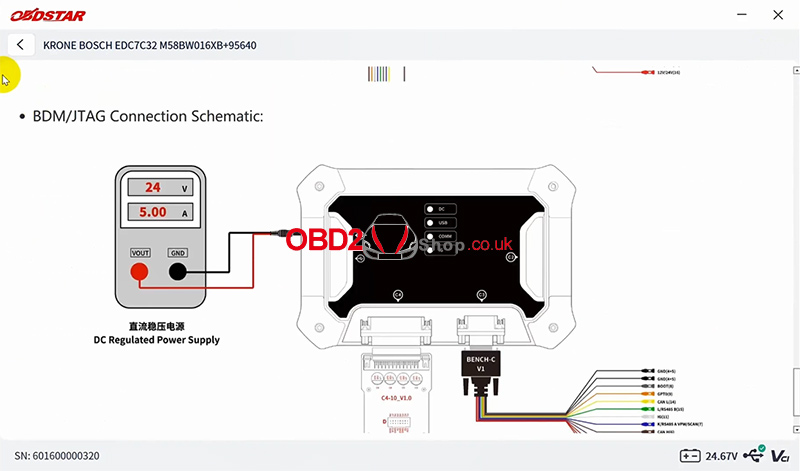
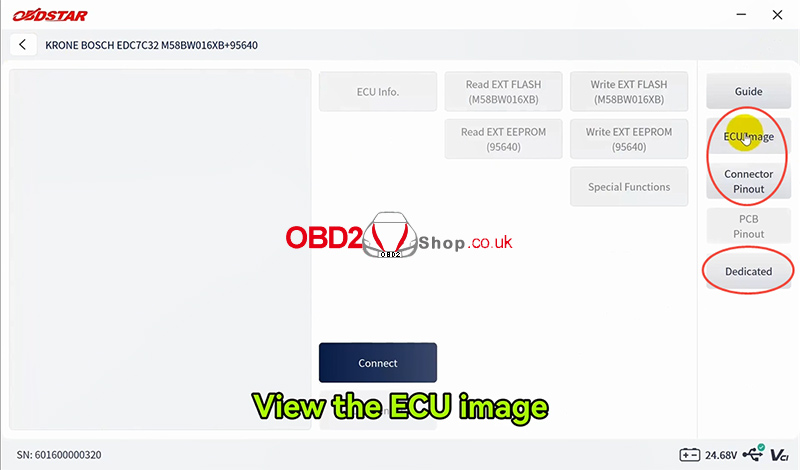
Then tap Guide to view the detailed operation notes and ECU connection diagram.
You can also tap ECU Image to view the ECU appearance.
Select Connector Pinout → Dedicated to check the dedicated wiring diagram.
Step 3: Connect the ECU
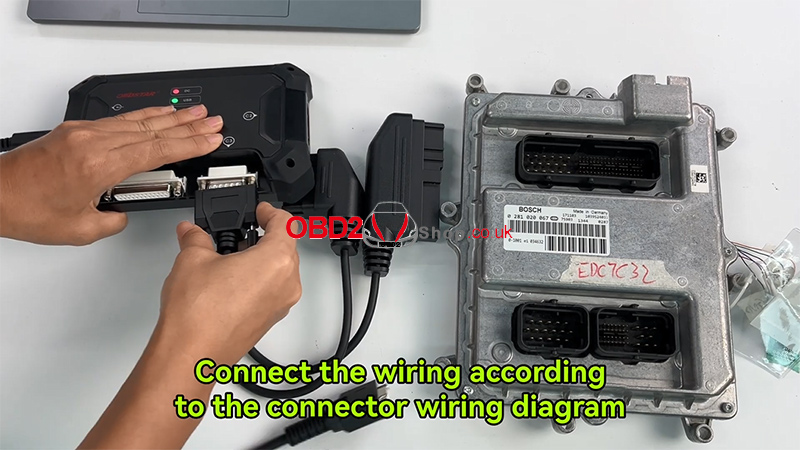
Connect the wiring according to the connector pinout diagram.
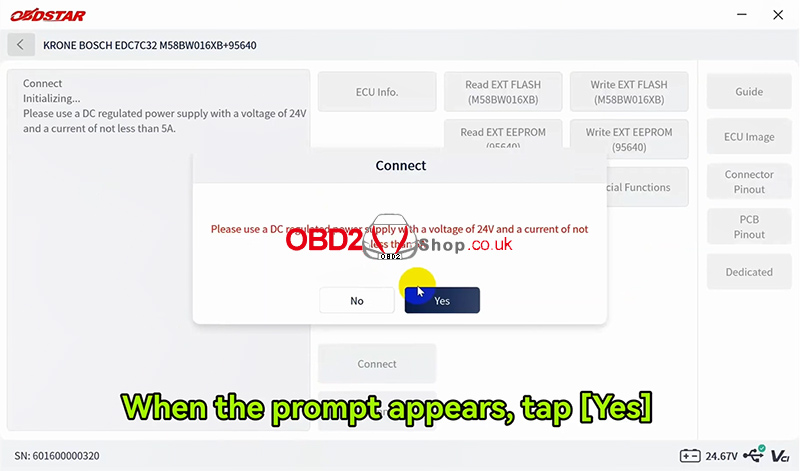
Tap Connect.
When the confirmation prompt appears, tap Yes.
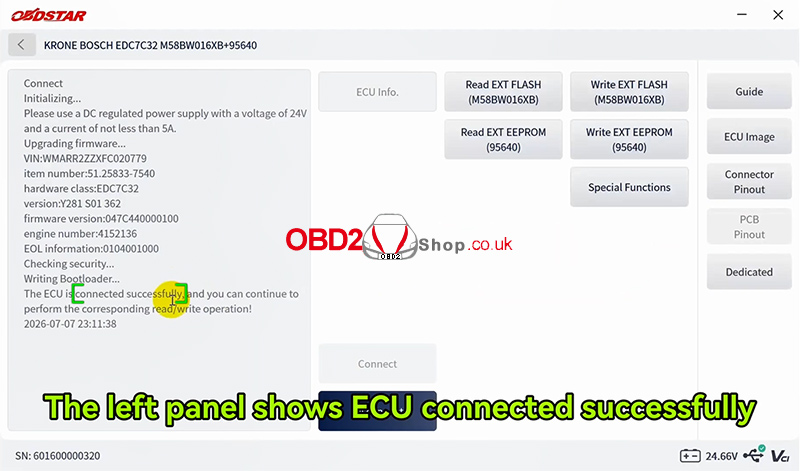
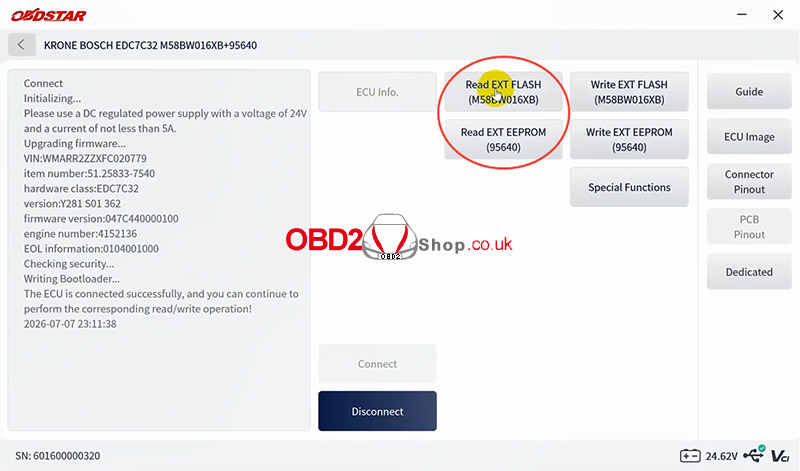
If the connection is successful, the ECU status will be displayed on the left panel.
Step 4: Read ECU Data
Select:
Read EXT FLASH (M58BW016XB)
You can rename the read file and choose where to save it.
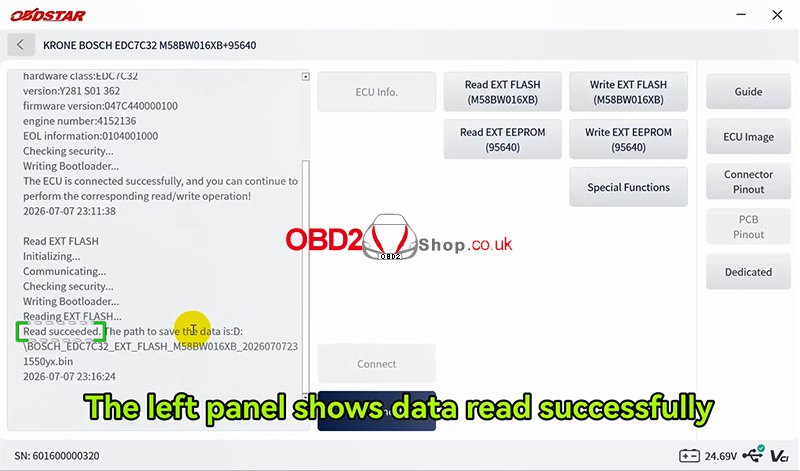
After the operation completes, the left panel will show that the data was read successfully.
To read the EEPROM data, select:
Read EXT EEPROM (95640)
Follow the same procedure.
Step 5: Write ECU Data
Select:
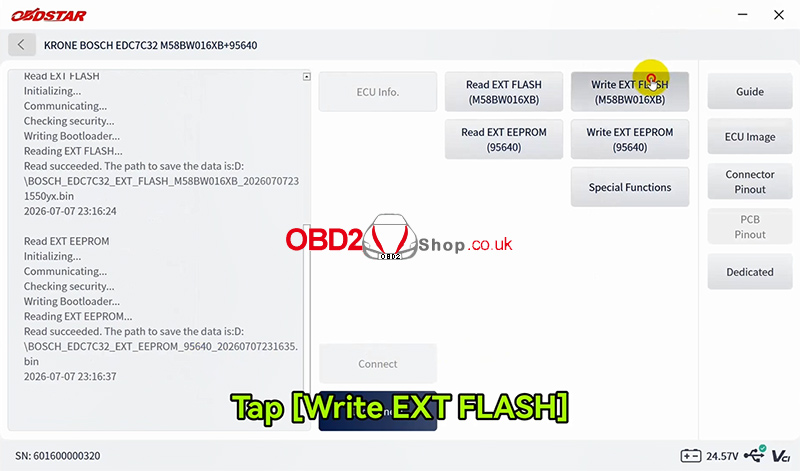
Write EXT FLASH (M58BW016XB)
Choose the data file you want to write.
When the system asks you to confirm the operation, tap Yes.
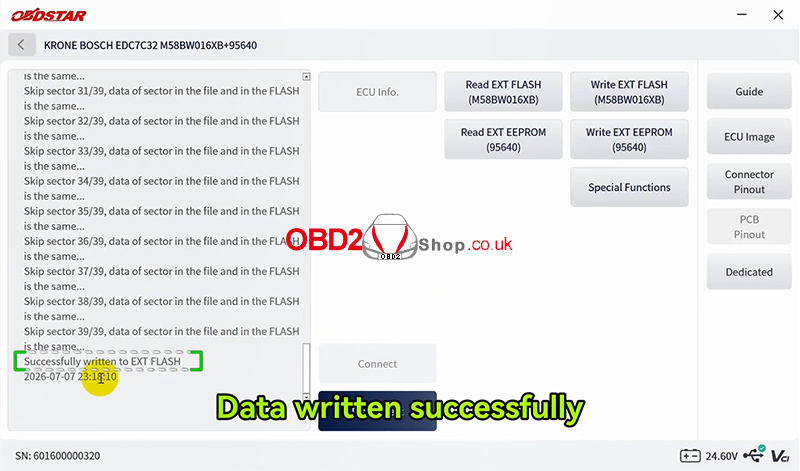
After the process is completed, the software will display that the data has been written successfully.
For EEPROM, select:
Write EXT EEPROM (95640)
The operation is the same.
Tip: Always back up the original ECU data before writing new data and make sure the selected file matches the ECU.
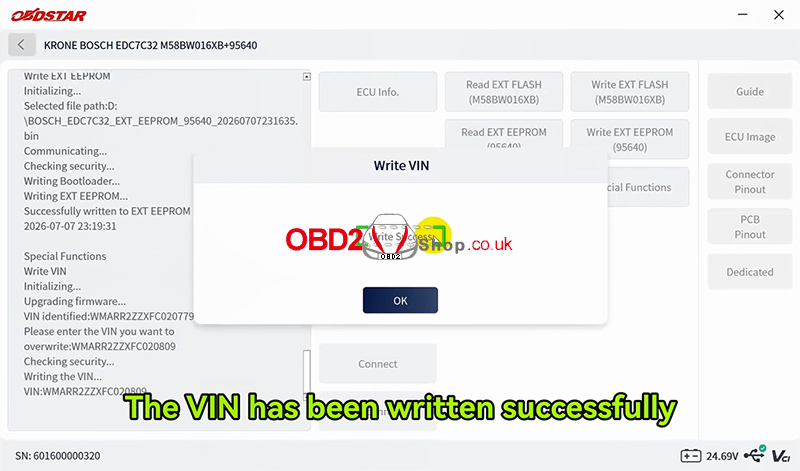
Step 6: Write VIN
To change the VIN, go to:
Special Functions → Write VIN
Enter the new VIN and confirm.
Once completed, the software will display that the VIN has been written successfully.
Finally, tap Disconnect to end the operation.
Conclusion
With OBDSTAR ECU MASTER, the KRONE BOSCH EDC7C32 can be read and written conveniently in BENCH mode. The software also provides a connection guide, pinout diagram, ECU image, and VIN writing function, making the operation easier and more straightforward.
For more automotive diagnostic and ECU programming tools, visit:
