

If you need to transfer your CGDI K2 points to another account, simply follow the steps below.
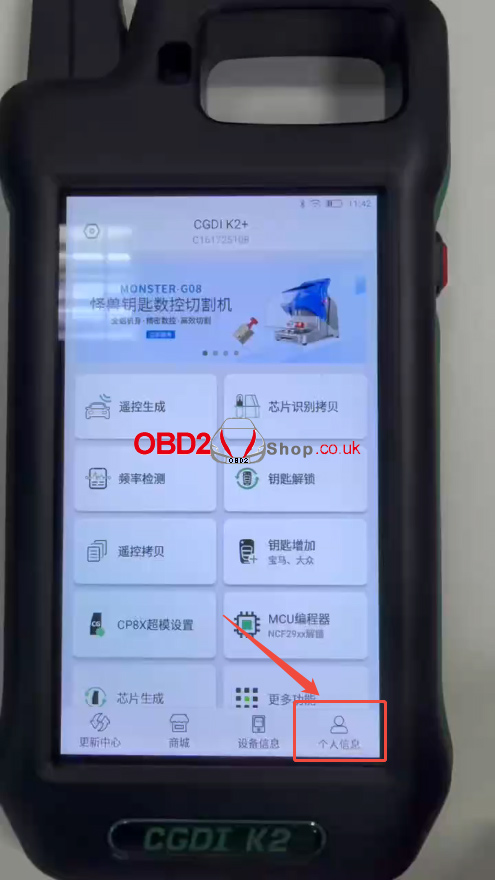
Step 1. Open Point Management
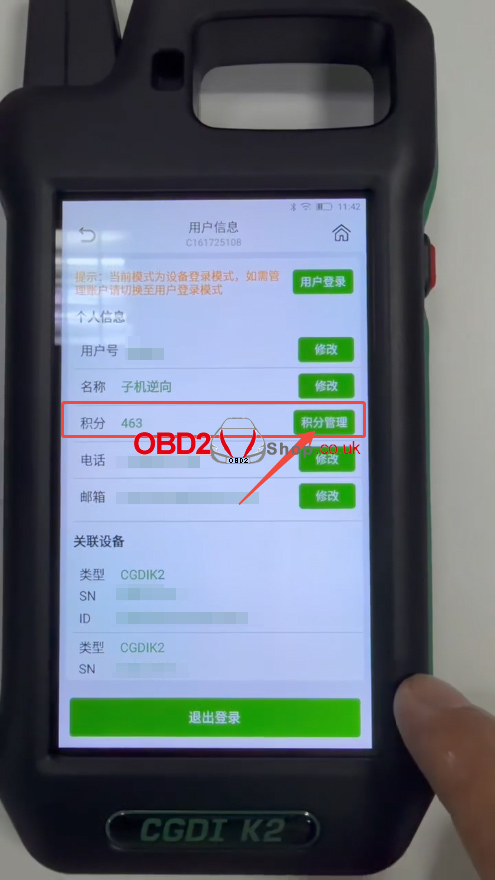
Tap “Personal Information”, then select “Point Management” under the Points section.
Step 2. Transfer Points
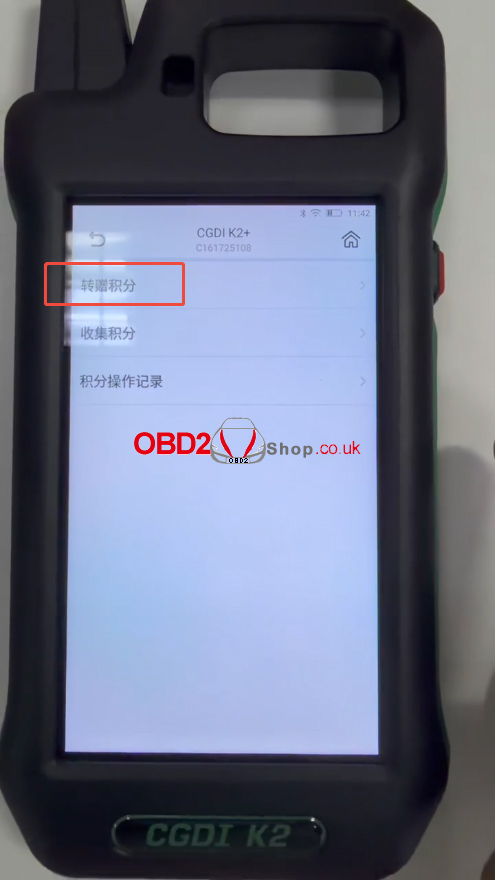
Select “Transfer Points”.
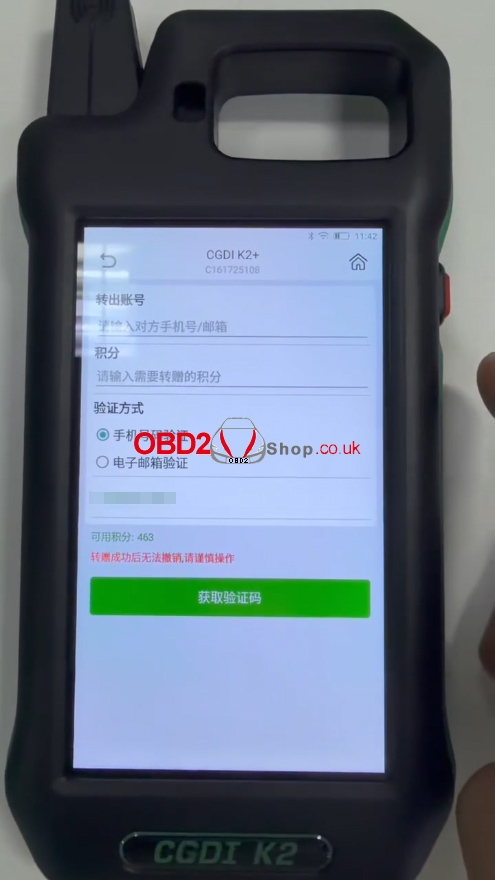
Enter the recipient’s mobile phone number or email address in the Transfer Account field.
Enter the number of points you want to transfer in the Points field.
Complete the verification process to finish the transfer.
Note: Once the points have been transferred successfully, the transaction cannot be canceled. Please double-check the recipient information before confirming.
For more CGDI K2 tutorials and technical support, please visit:
www.obd2shop.co.uk
