
Keeping your CG Monster G08 Key Cutting Machine updated ensures you always have access to the latest features, improvements, and bug fixes. This guide shows you how to connect your device to Wi-Fi and perform an online software upgrade in just a few simple steps.
Step 1: Connect the CG Monster G08 to Wi-Fi
Before updating the software, make sure your machine is connected to a stable Wi-Fi network.
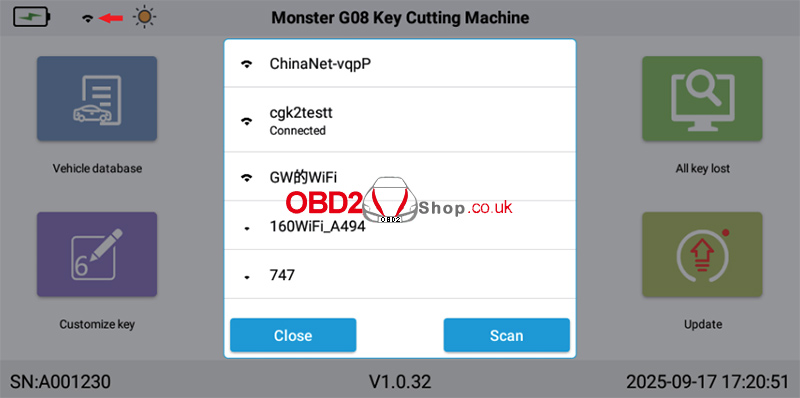
1. On the Home page or the Version Update page, tap the Wi-Fi icon to enter the Wi-Fi settings.
2. Follow the on-screen instructions to connect to your wireless network.
3. Once the connection is successful, the Wi-Fi icon will indicate that the device is connected.
Step 2: Perform an Online Software Update
After connecting to Wi-Fi, you can check for the latest software version.
1. Return to the Home page and tap Update.
2. The system will automatically check the latest version on the server.
If a new version is available, the version information will be displayed in red.
If the text remains unchanged, your device is already running the latest software version.
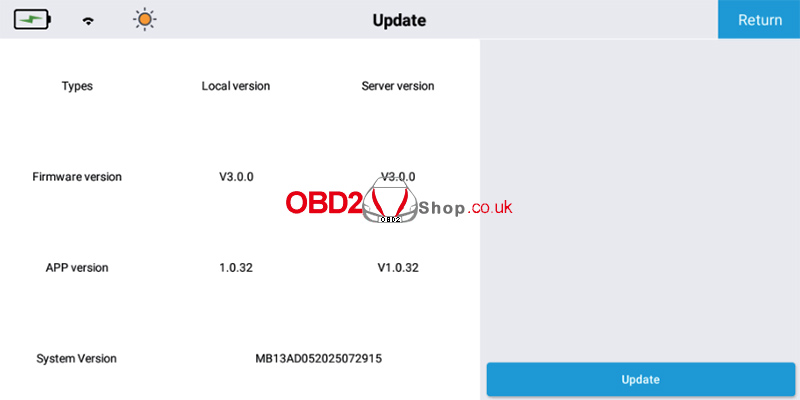
3. Tap Update.
4. When the confirmation dialog appears, select Yes.
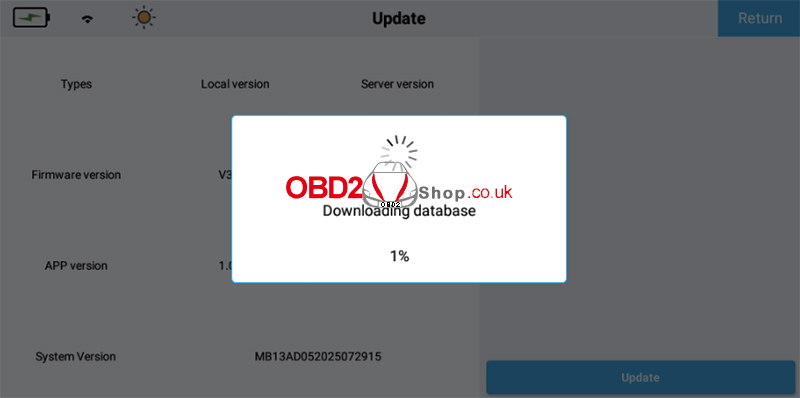
5. The machine will automatically download and install the latest software update.
Tips:
1. Ensure the Wi-Fi connection remains stable throughout the update process.
2. Do not power off the CG Monster G08 while the software is downloading or installing.
3. Keeping your machine updated helps improve performance and ensures compatibility with the latest vehicle models and key-cutting functions.
For more CG Monster G08 technical guides, software updates, and automotive locksmith solutions, visit www.obd2shop.co.uk.
