
The LAUNCH X-431 ADAS system supports radar calibration using the LAC05-04 Doppler Simulator. This guide outlines the calibration procedure based on the official operation process.
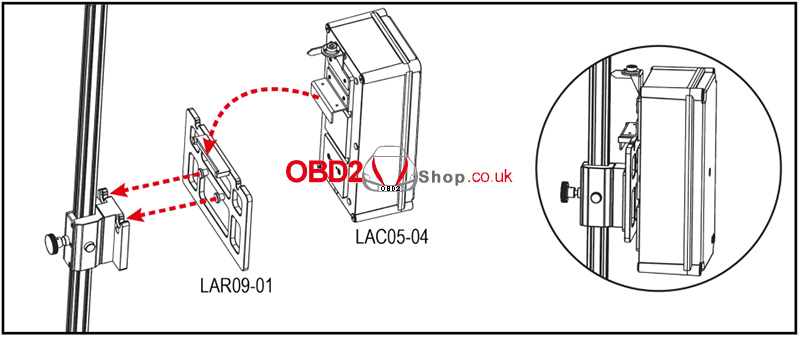
Step 1: Install the Doppler Simulator
Place the mounting adaptor LAR09-01 and install the LAC05-04 Doppler Simulator.
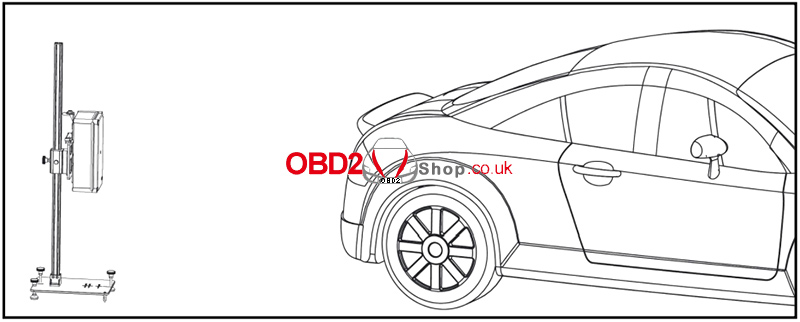
Step 2: Position the Doppler Simulator
Place the Doppler Simulator in the correct position according to the software prompts.
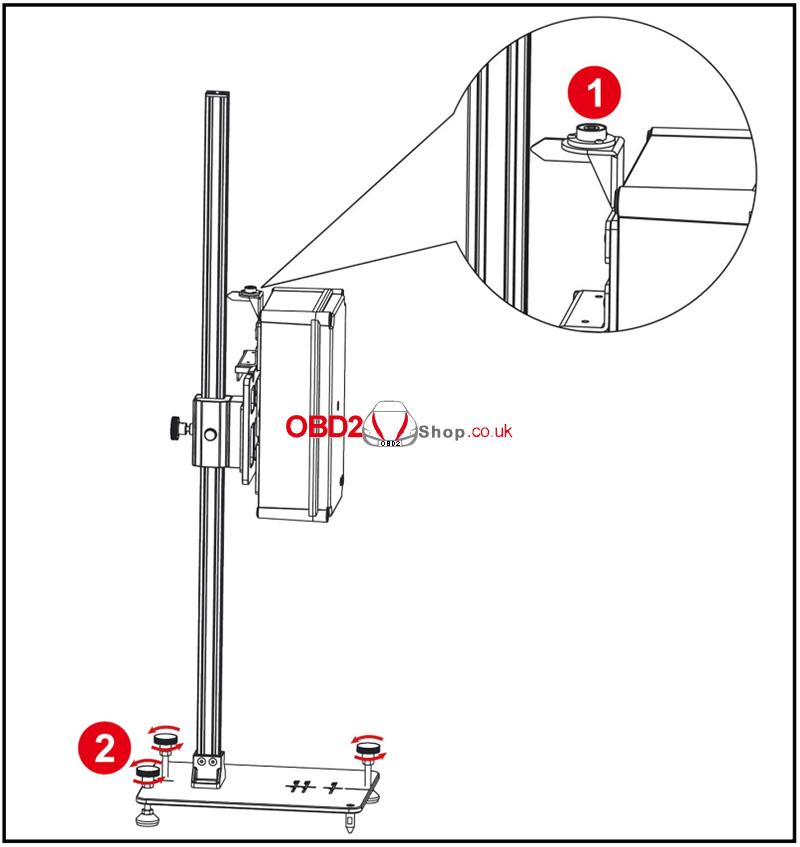
Step 3: Adjust the Level
Observe the spirit bubble ① on the Doppler Simulator. Rotate the level adjustment knob ② as needed to keep the bubble centered.
Step 4: Adjust the Height
Adjust the height according to the software prompts.
Step 5: Power On and Start Calibration
Plug one end of the power adapter into the Doppler Simulator DC-IN jack, and connect the other end to a power outlet.
Turn on the Doppler Simulator power switch. When the status LED turns green, follow the software prompts to perform the calibration.
Conclusion
By following the above steps, you can complete radar calibration using the LAUNCH X-431 ADAS system and the LAC05-04 Doppler Simulator. Ensure that the simulator is correctly positioned, properly leveled, and adjusted to the required height before starting the calibration process.
For more information about LAUNCH diagnostic and ADAS calibration products, visit:
