
This post demonstrates how to use OBDSTAR ECU MASTER to read and write the internal flash data of the Kawasaki Mitsubishi 21175-1124 MH8115F Engine Control Module, with checksum support.
Required Tools:
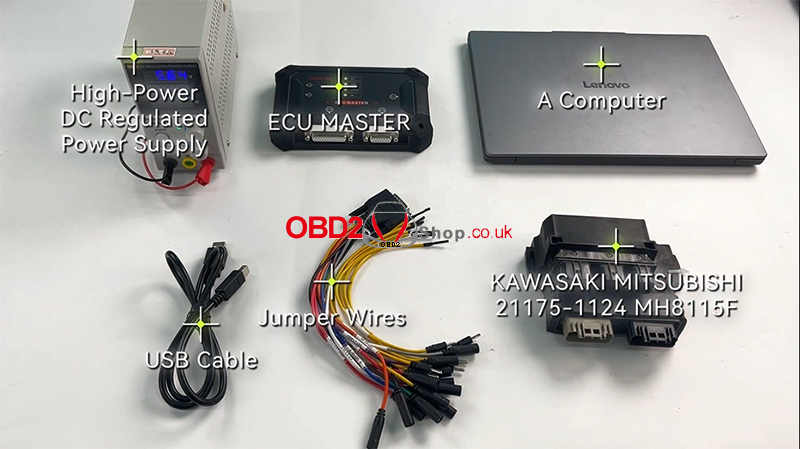
Computer
ECU MASTER
High-Power DC Regulated Power Supply
USB Cable
Jumper Wires
Kawasaki Mitsubishi 21175-1124 MH8115F ECU
ECU Flash Read/Write Procedure
1. Select the ECU
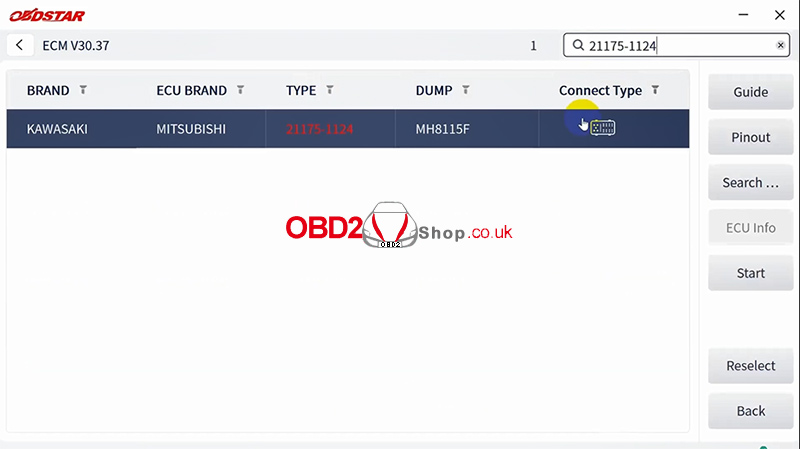
Open ECU Flasher and select:
MOTO → ECM
Search for 21175-1124 and select the corresponding ECU option.
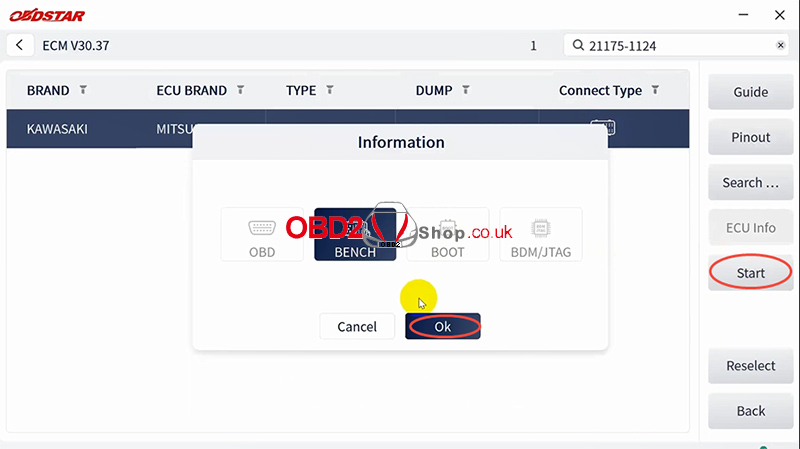
2. Select Bench Mode
Click [Start] and select Bench Mode.
Then click [Guide] to check the following information:
Warm Reminder
Menu Description
Operation Guide
Special Notes
Connection Methods
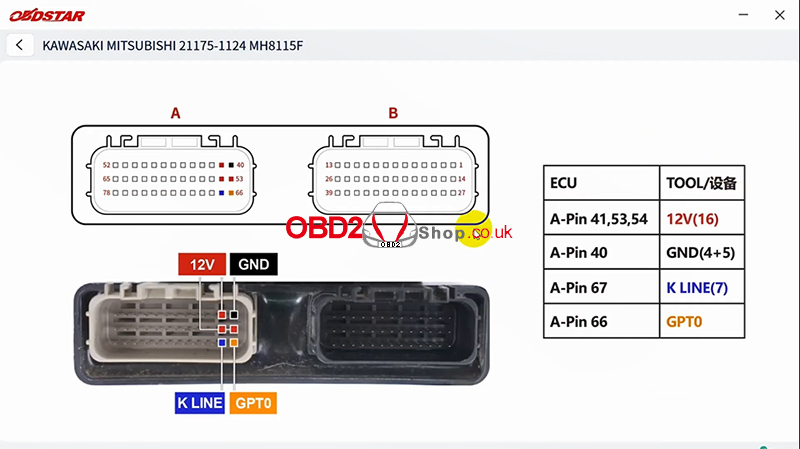
3. Check the ECU Pinout
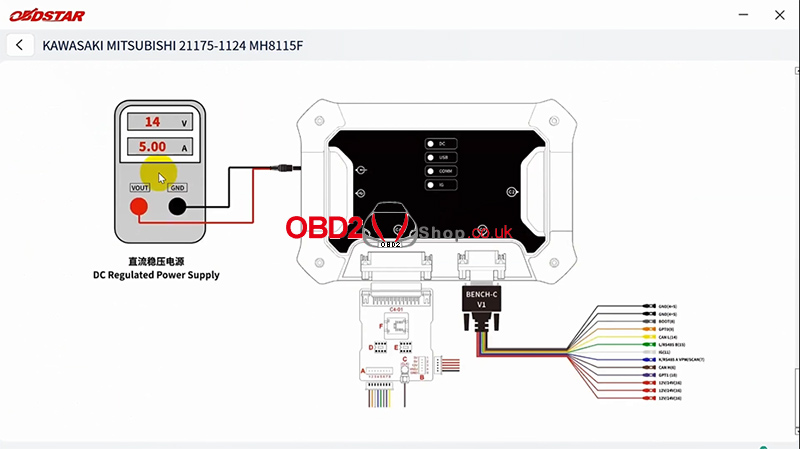
Return to the main screen and click [ECU Image] to confirm that the ECU appearance matches the guide.
Then click [Connect Pinout] and connect the jumper wires according to the provided pinout diagram.
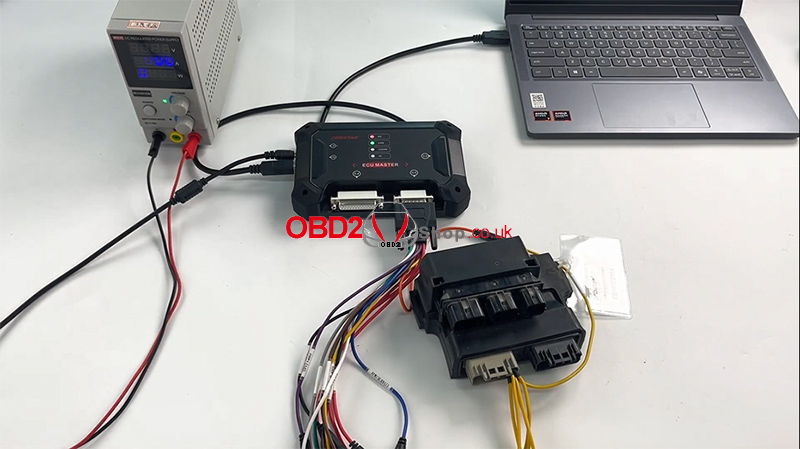
4. Connect to the ECU
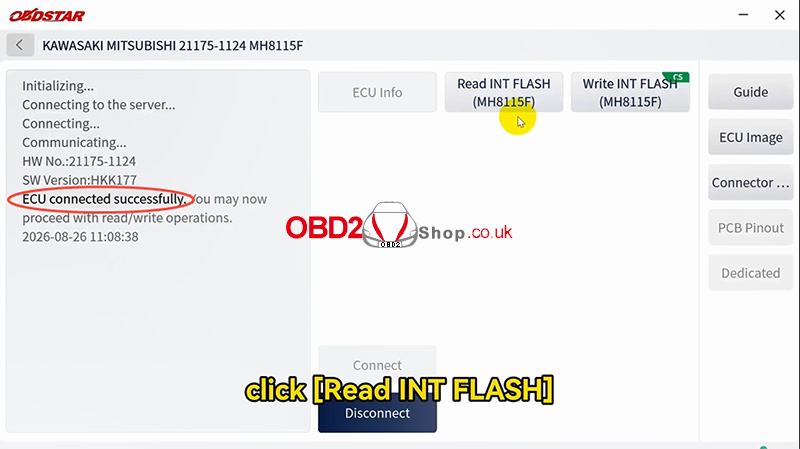
After completing the wiring, return to the main screen and click [Connect].
Once the ECU connects successfully, you can perform INT FLASH read/write operations.
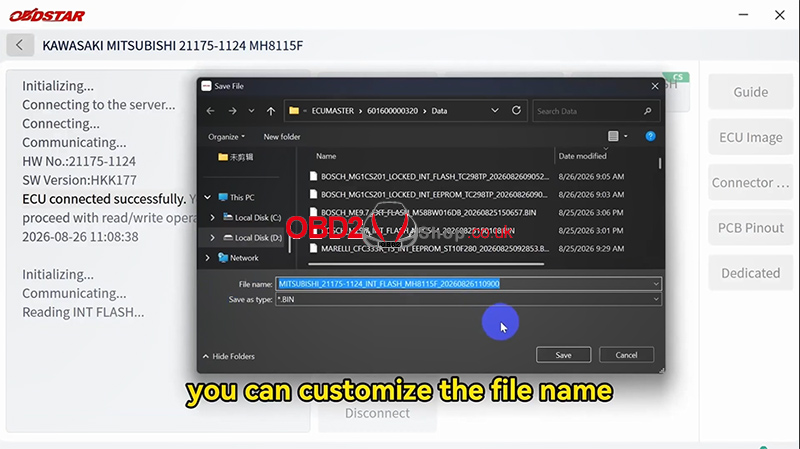
5. Read INT FLASH
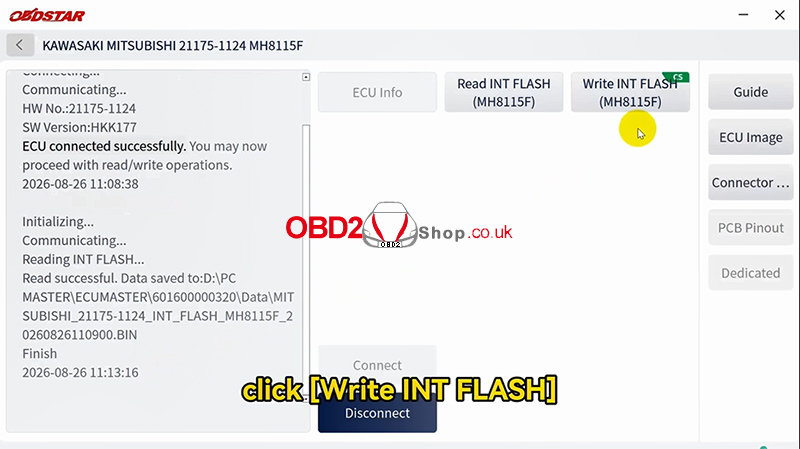
Click [Read INT FLASH].
You can customize the file name before saving. The save path is displayed on the left side of the screen.
After the process is completed, the ECU data backup is saved successfully.
6. Write INT FLASH
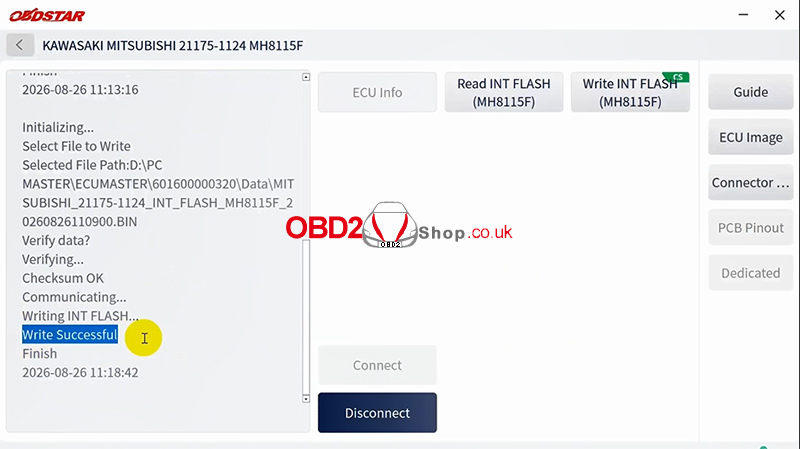
To write the backup data back to the ECU, click [Write INT FLASH] and select the previously saved backup file.
Confirm the selected file is correct, then click [Yes] to start writing.
Once completed, the data will be written successfully to the module.
Conclusion
With ECU MASTER, the Kawasaki Mitsubishi 21175-1124 MH8115F ECU can be connected in Bench Mode for INT FLASH data reading and writing, with checksum support.
Watch the complete operation here:
