

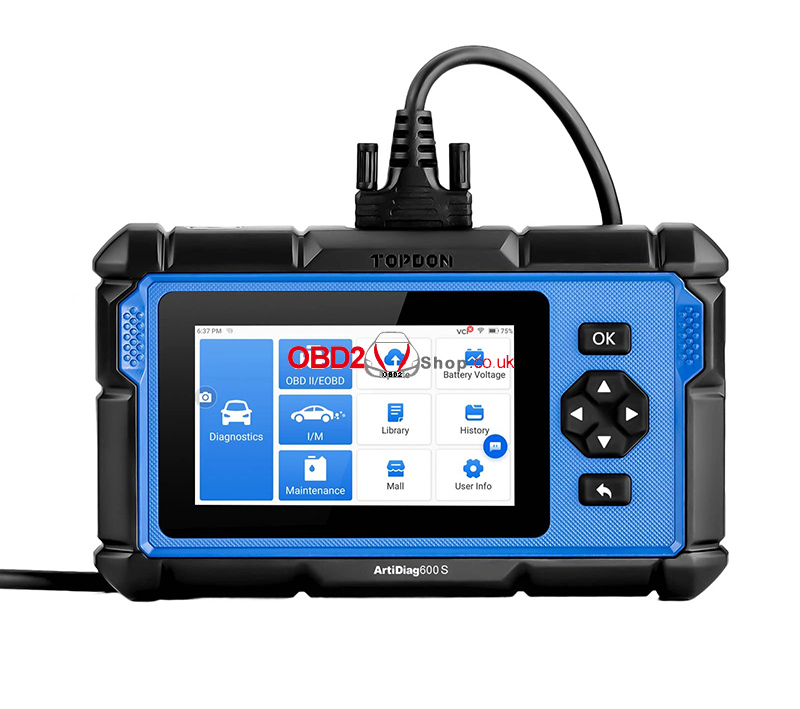
The TOPDON ArtiDiag600S is a powerful OBD2 diagnostic scanner that supports over 80 vehicle brands and offers full system diagnostics with 9 essential maintenance functions. If you’re using the ArtiDiag600S for the first time or encounter common issues, this FAQ guide will help you get started quickly.
Q1: Do I Need to Update the Firmware Before Using the ArtiDiag600S?
Yes. It is recommended to update the firmware before your first use.
The ArtiDiag600S can automatically detect and install the latest firmware version. If needed, you can also update it manually:
User Info → Firmware Update
Keeping the firmware up to date ensures the best performance, improved compatibility, and access to the latest vehicle coverage.
Q2: Why Is the ArtiDiag600S Screen Flashing While the Engine Is Running?
This is a normal phenomenon caused by electromagnetic interference generated while the engine is operating.
It does not affect the scanner’s performance or diagnostic results.
Q3: What Should I Do If a Communication Error Occurs?
If the scanner cannot communicate with the vehicle, try the following steps:
1. Make sure the vehicle ignition is turned ON.
2. Check that the ArtiDiag600S OBD-II cable is firmly connected to the vehicle’s DLC port.
3. Turn the ignition OFF, wait about 10 seconds, then turn it back ON and try again.
4. If the problem remains, check whether the vehicle’s control module is faulty.
These steps resolve most communication issues.
Q4: How Do I Take a Screenshot on the ArtiDiag600S?
Capturing screenshots is simple:
1. Swipe down from the top of the screen.
2. Tap Screenshot.
3. Tap anywhere on the screen to capture the image.
4. To view your screenshots, go to Folder → Screenshots.
This feature is useful for saving diagnostic reports or sharing fault information.
Q5: What Special Functions Does the ArtiDiag600S Support?
The TOPDON ArtiDiag600S includes 9 commonly used maintenance functions:
Oil Reset
Throttle Adaptation
EPB Reset
Steering Angle Reset (SAS)
TPMS Reset
Battery Management System (BMS) Reset
DPF Regeneration
Injector Coding
ABS Bleeding
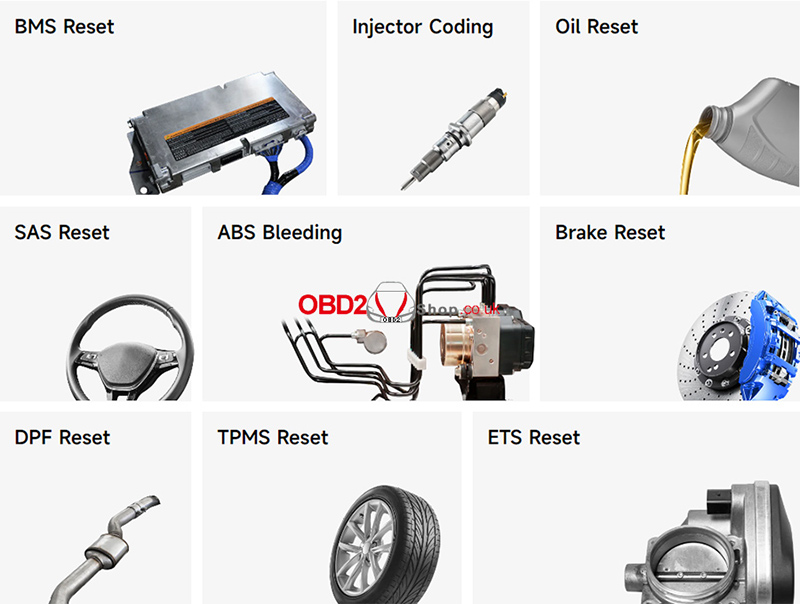
These service functions help technicians and DIY users perform routine vehicle maintenance more efficiently.
Conclusion
The TOPDON ArtiDiag600S is an easy-to-use diagnostic scanner packed with practical features for daily vehicle diagnostics and maintenance. By keeping the firmware updated and following the troubleshooting tips above, you can ensure smooth operation and reliable diagnostic performance.
If you have additional questions about the TOPDON ArtiDiag600S, feel free to contact us for technical support.
