
This guide will show you how to export folders from the Yanhua ACDP app on an iOS device. Before starting, make sure your ACDP app is updated to version 3.6.5 or above.
Step 1: Check Your App Version
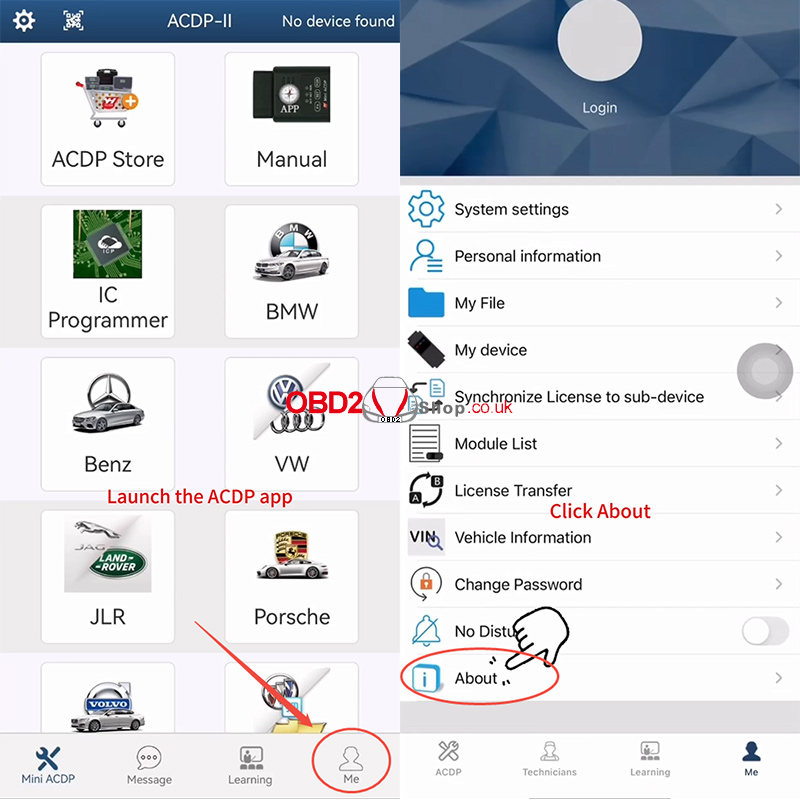
Launch the ACDP app.
Go to [Me] → [About].
Confirm that your app version is 3.6.5 or higher.
Step 2: Open “My File”
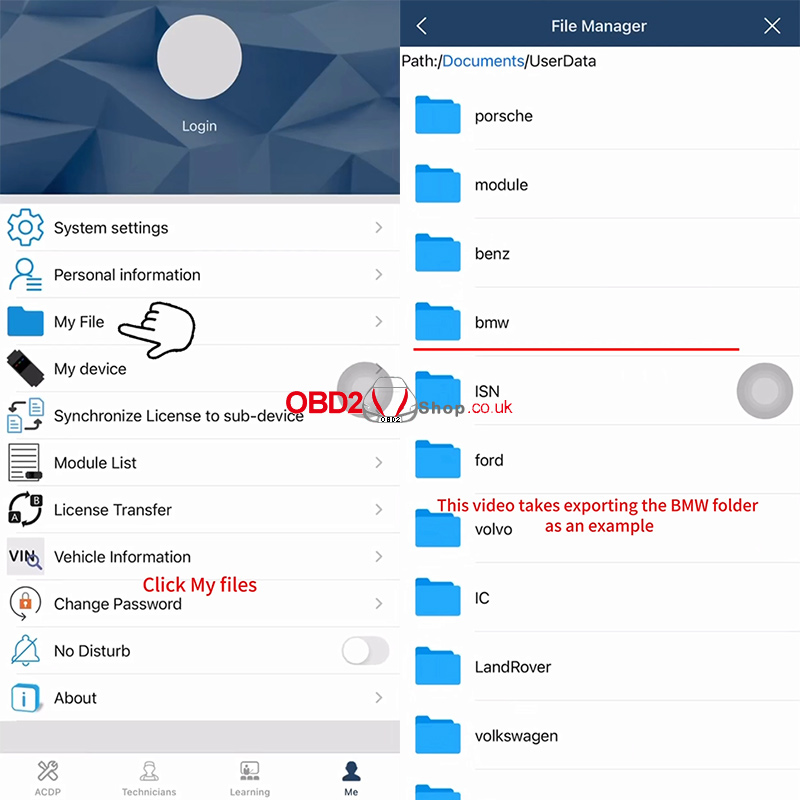
Tap [My File].
All vehicle model folders you have worked on will appear on this page.
Locate the folder you want to export and prepare to compress it.
In this tutorial, we use the BMW folder as an example.
Step 3: Compress the Folder
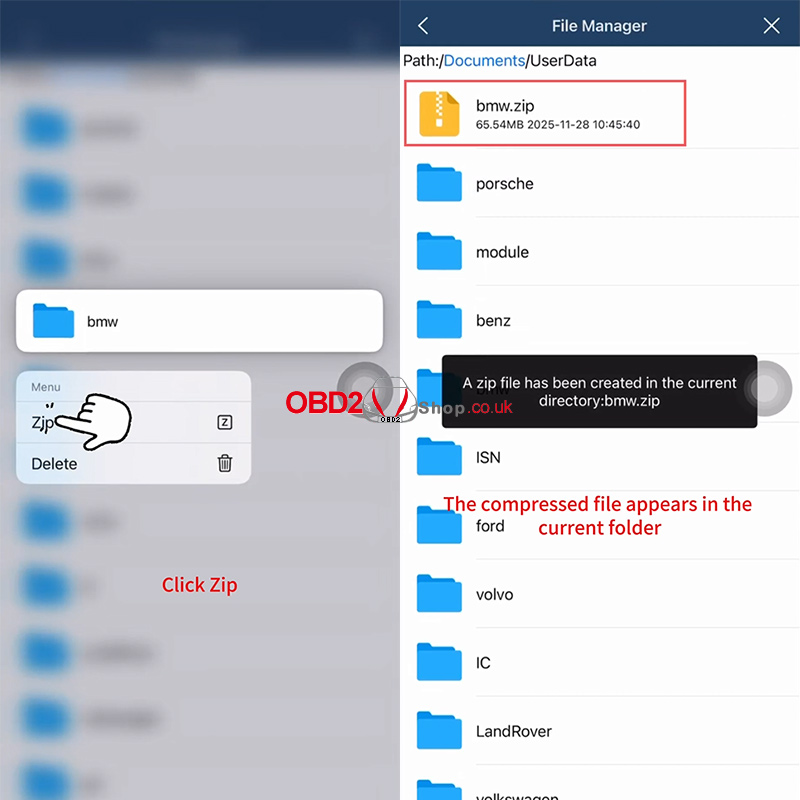
Long-press the BMW folder.
Select [Zip].
A message will appear:
“A zip file has been created in the current directory: bmw.zip.”
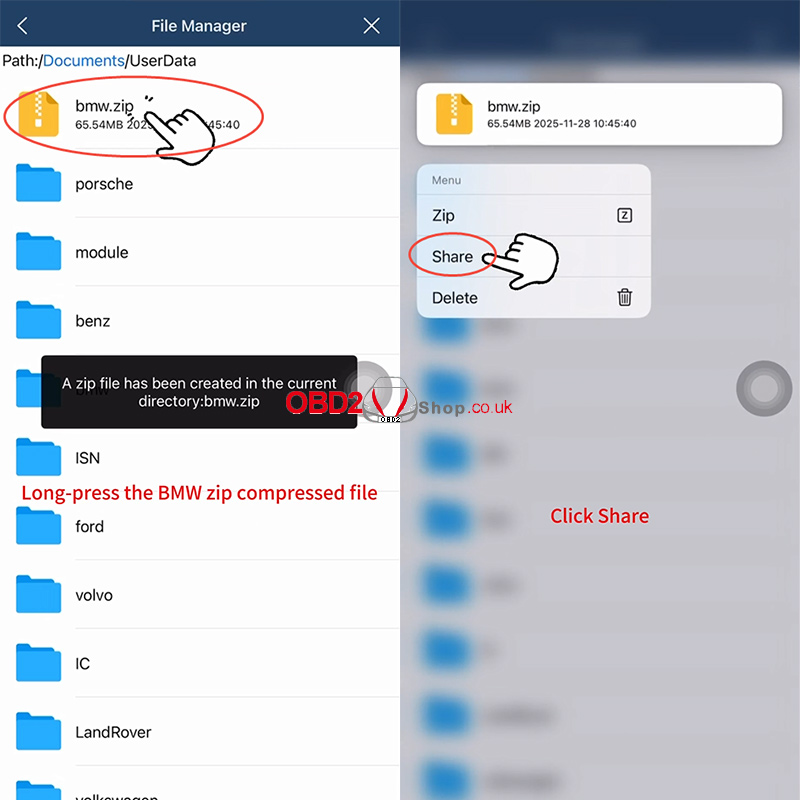
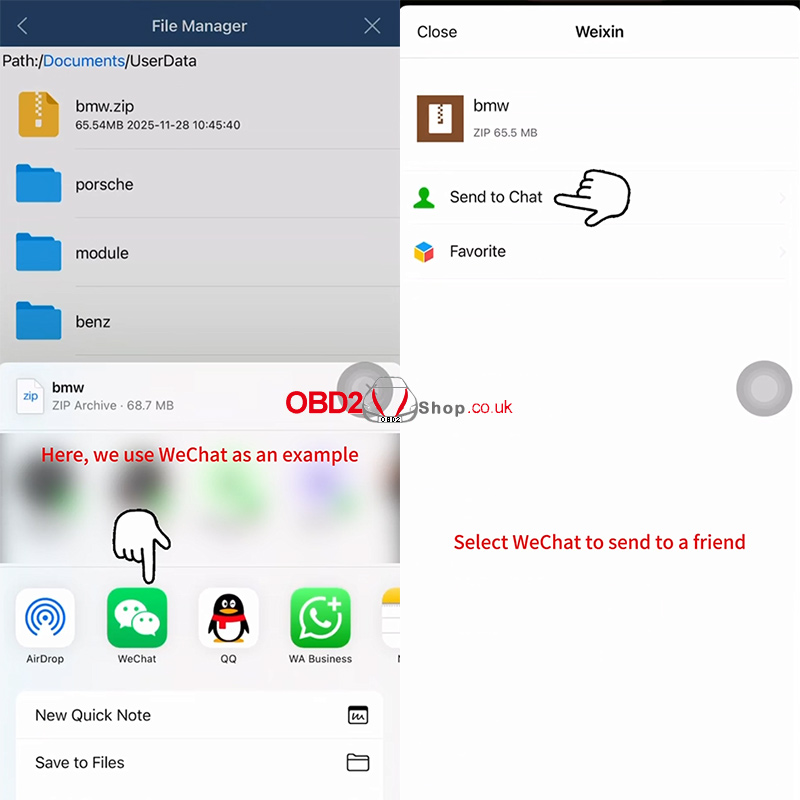
Long-press the newly created bmw.zip file and tap [Share].
Step 4: Export Through Third-Party Software
Choose a third-party app for export.
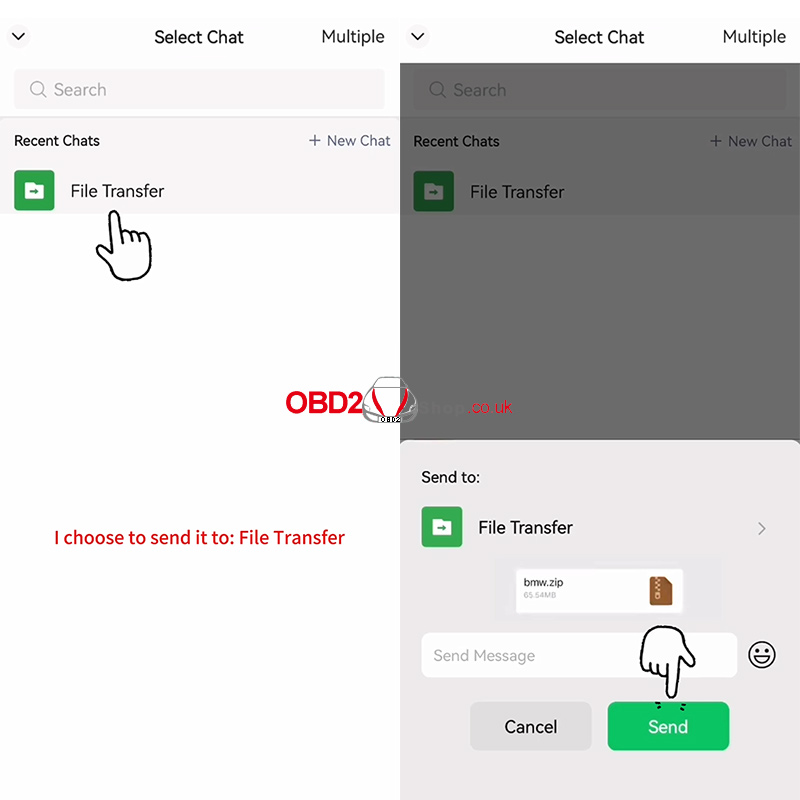
In this example, we select WeChat.
Choose a contact and send the zipped file.
For a full demonstration, watch the video tutorial:
