


This is my first hands-on test of the Xhorse Dolphin XP005L, the latest automatic key cutting machine in the Dolphin II series. After spending some time using it, I was impressed by its design, ease of use, and overall cutting performance.
1. First Impressions & Design
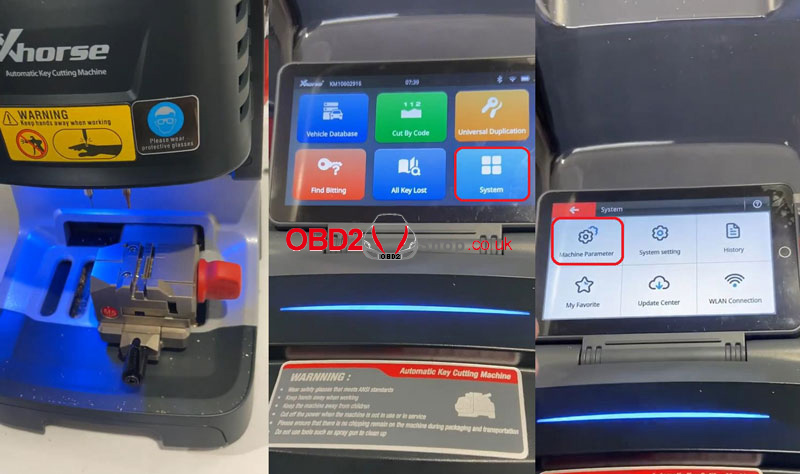
One of the most noticeable upgrades on the Dolphin XP005L is the touchscreen display, which is about the size of a smartphone. The screen is clear, bright, and very responsive. Below the cutting area, the machine features an LED light that helps illuminate the workspace.
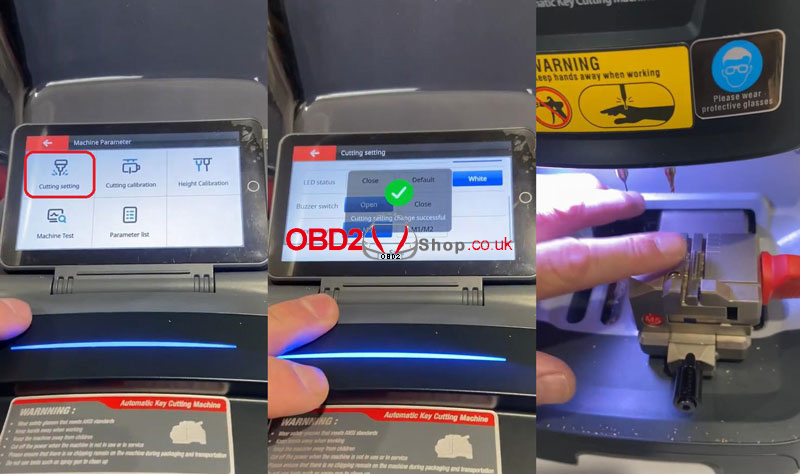
By default, the LED light is blue. Personally, I don’t like the blue lighting, but fortunately, it’s easy to change:
Settings path:
System → Machine Parameter → Cutting Setting → LED Status → White → Save
After saving, the LED light switches to white, which is much easier on the eyes.
2. Key Decoding Test (Honda Key)
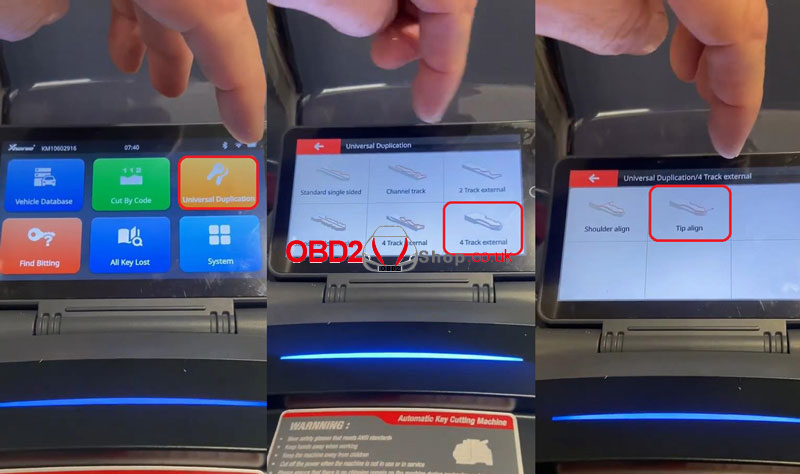
Next, I tested the machine by duplicating a Honda key.
Operation path:
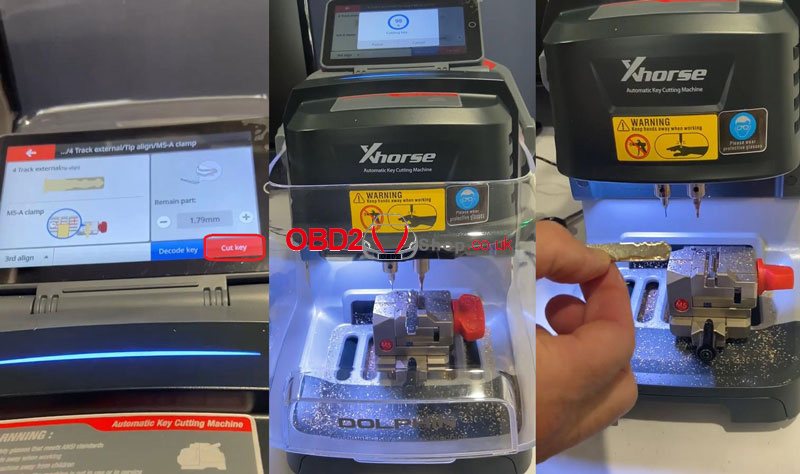
Universal Duplication → 4 Track External → Tip Align
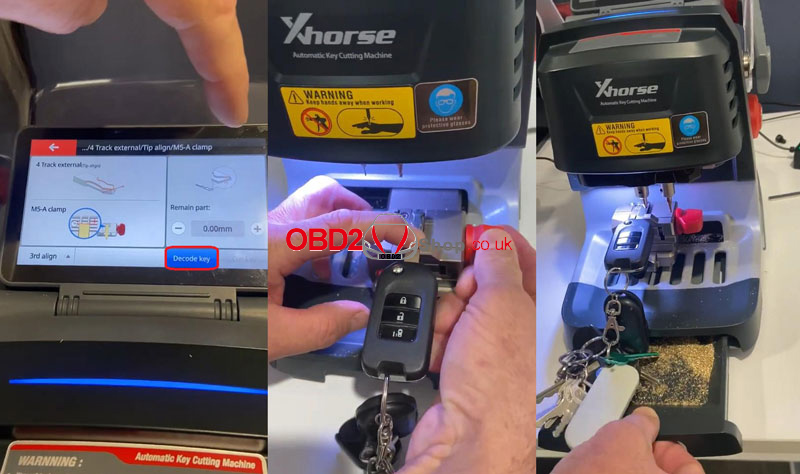
The vice design really stands out here. It clamps the key securely and includes a solid support mechanism underneath, which adds stability during decoding and cutting.
After installing the original Honda key in the clamp, I tapped “Decode Key.” The Dolphin II immediately started decoding. Simply close the protective cover and wait for the process to complete.
The decoding process is smooth and quiet, with no noticeable vibration. Everything runs very fluidly.
3. Performance & Practical Features
A few highlights became very clear during use:
① Battery-operated: The machine can run on its internal battery, making it portable and convenient for mobile work.
② Lightweight design: Easy to carry and transport.
③ Debris tray: A built-in tray underneath collects metal shavings neatly.
④ Clear tablet-style screen: The large display makes every step easy to follow.
Once decoding is finished, the machine displays a visual outline of the key on the screen. While it’s not artistic, it’s accurate and gives a clear idea of the key’s structure.
4. Key Cutting Test
After decoding, I removed the original key and installed a blank key onto the M5 clamp, then selected “Cut Key.”
The Dolphin XP005L immediately began cutting. Remember to close the protective cover to prevent debris from spattering.
One feature I really like is the progress percentage displayed at the top of the screen during cutting. It gives a clear sense of how much time remains.
The cutting speed is fast, and once the first side was finished, the result was excellent. The cuts were clean and smooth, with a professional finish.
5. Touchscreen Experience
The touchscreen on the Xhorse Dolphin II XP005L is a major improvement over earlier touchscreen key cutting machines. Some early models on the market had unresponsive or confusing interfaces, but this one is intuitive, responsive, and very easy to use.
Overall, the Dolphin XP005L delivers a great user experience with modern design, reliable performance, and thoughtful features.
More information: www.obd2shop.co.uk
