


This guide provides a straightforward, step-by-step walkthrough for performing an SCR System Urea Pump Test using the LAUNCH X431 PAD V Elite. The example below demonstrates the procedure on a 2019 Foton Pilot light truck.
Vehicle Preparation
Before beginning, please make sure:
Your device has activated Heavy Duty Module Authorization.
Your LAUNCH X431 PAD5 is connected to the vehicle’s OBDII port, and the ignition is in the ON position.
Step 1: Vehicle Identification
Navigate through the menus to identify the specific vehicle system:
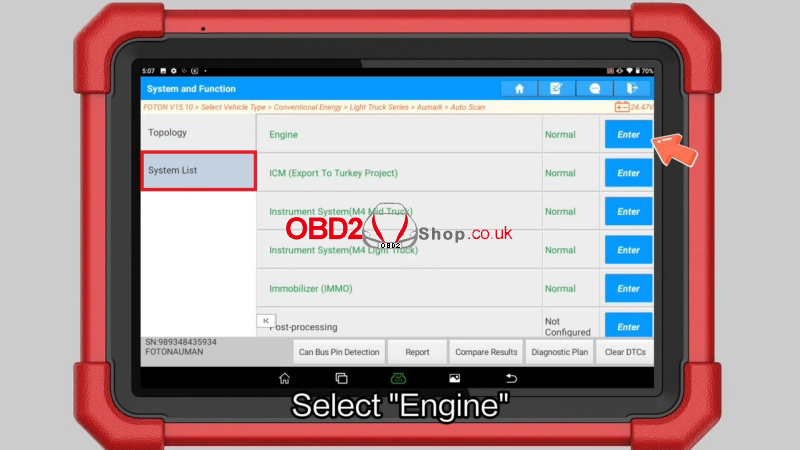
1. Local Diagnose >> Foton >> OK >> Select Vehicle Type >> Conventional Energy >> Light Truck Series >> Aumark >> Auto Scan >> Smart Detection >> System List >> Engine
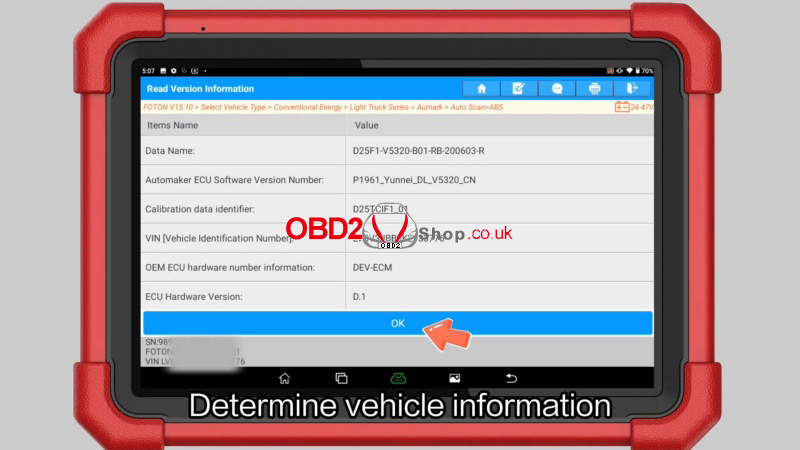
2. Click “OK” to determine vehicle information.
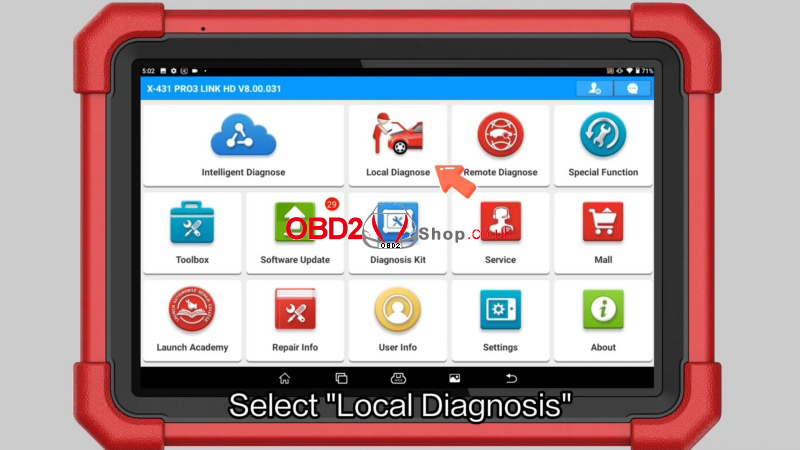
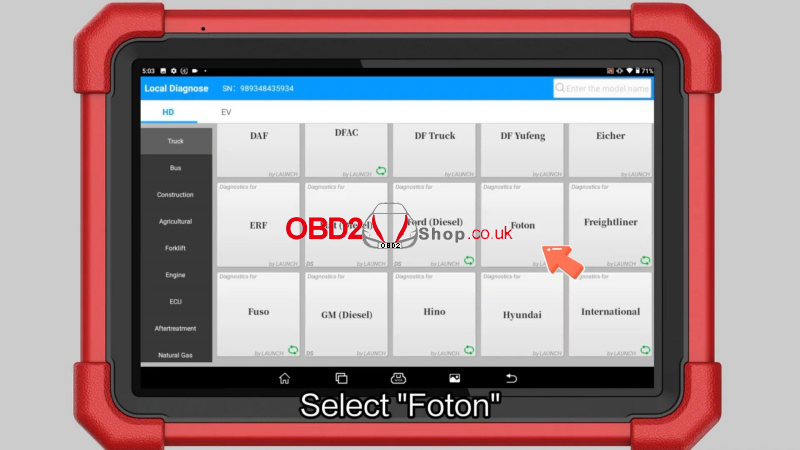
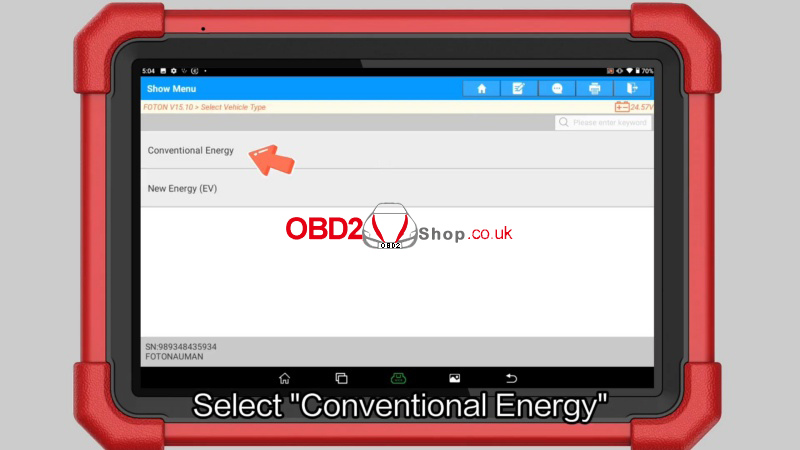
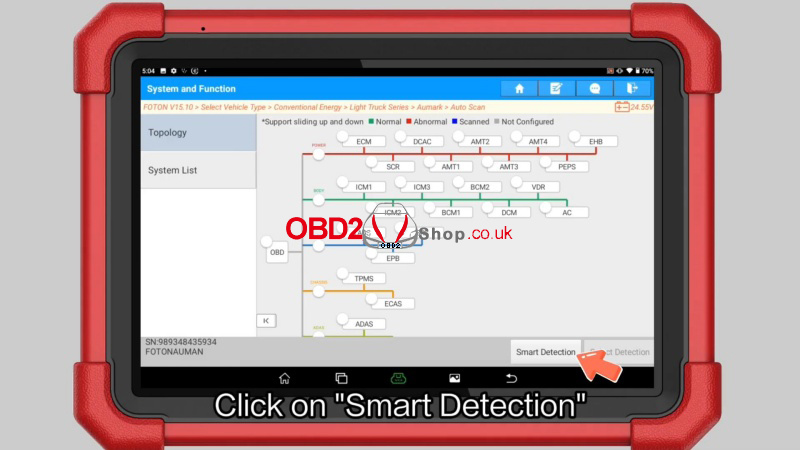
Step 2: Accessing the Urea Pump Test
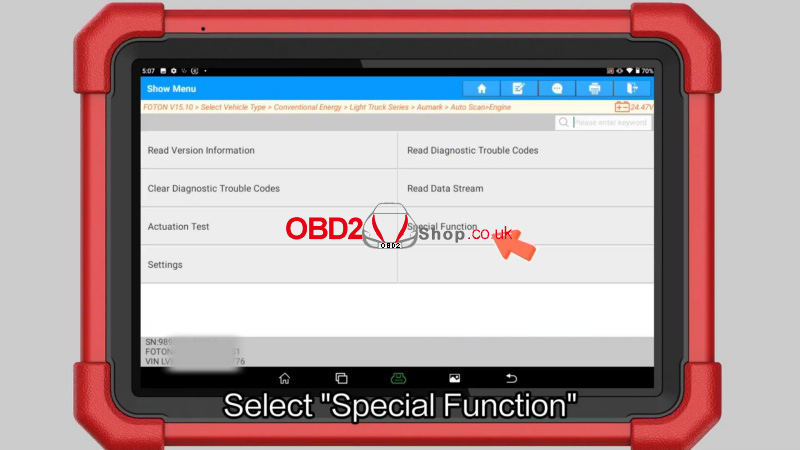
1. Once the Engine Control Module is active, select “Special Function”.
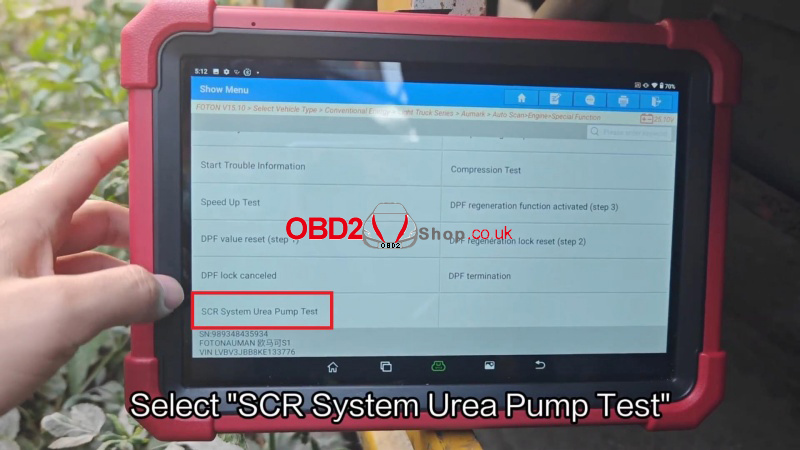
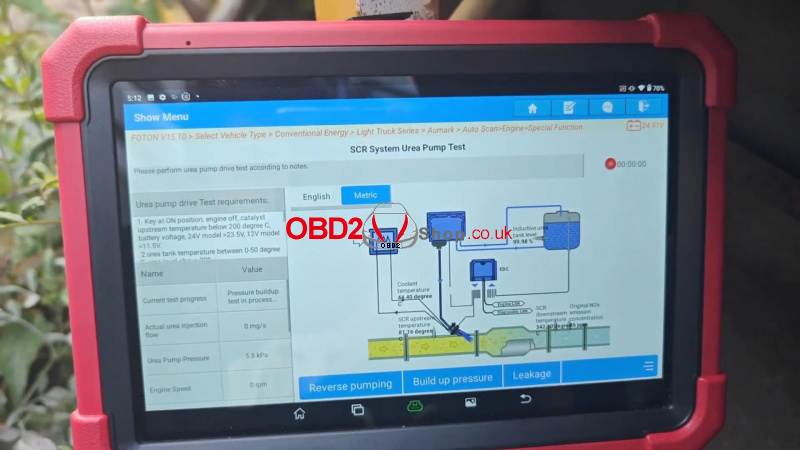
2. Choose “SCR System Urea Pump Test” from the functional list.
Step 3: Execution and Verification
1. Click on “Small injection” to initiate the test and observe the urea pump’s status.
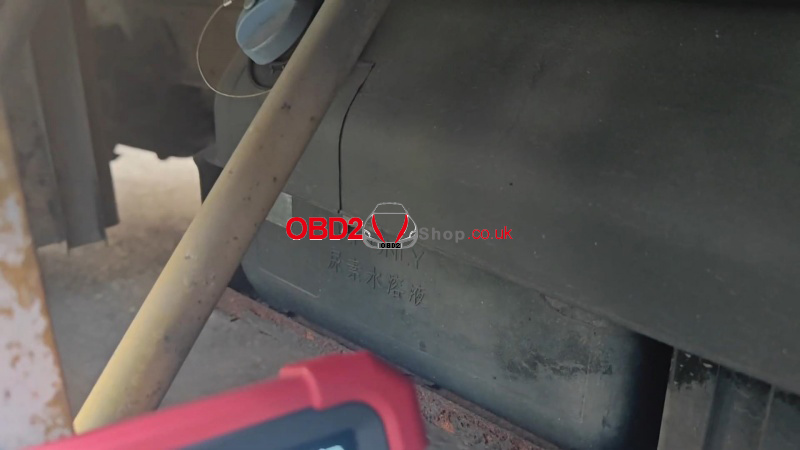
2. Verify Operation: You should clearly hear the audible sound of the urea pump operating.
3. Once the status is confirmed, the operation is complete.
Note: This procedure ensures the Selective Catalytic Reduction (SCR) system is delivering urea correctly, which is vital for emissions compliance and engine performance.
Technical Support & Action
Need professional assistance or the latest diagnostic updates? Visit www.obd2shop.co.uk for expert technical support and the best deals on authentic LAUNCH X431 PAD V Elite tools. Upgrade your workshop efficiency today!
