


This guide explains how to perform a BMW BDC3 key (Encrypted Chip) ICP copy using the ACDP programmer and BDC3 interface board.
Before starting, make sure your software is updated to the required versions.
Software Requirements
To use this feature, upgrade your ACDP software to:
ACDP PC Software: Version 1.0.64 or higher
ACDP2 PC Software: Version 2.0.8 or higher
Android APP: Version 3.0.141 or higher
iOS APP: Version 3.6.4 or higher
Step 1: Prepare the Original Key
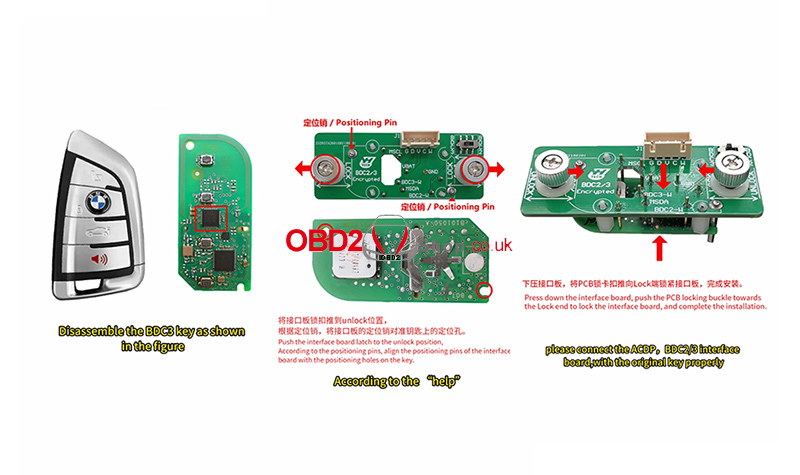
Disassemble the BDC3 key as shown in the reference images.
Follow the instructions in the “Help” section.
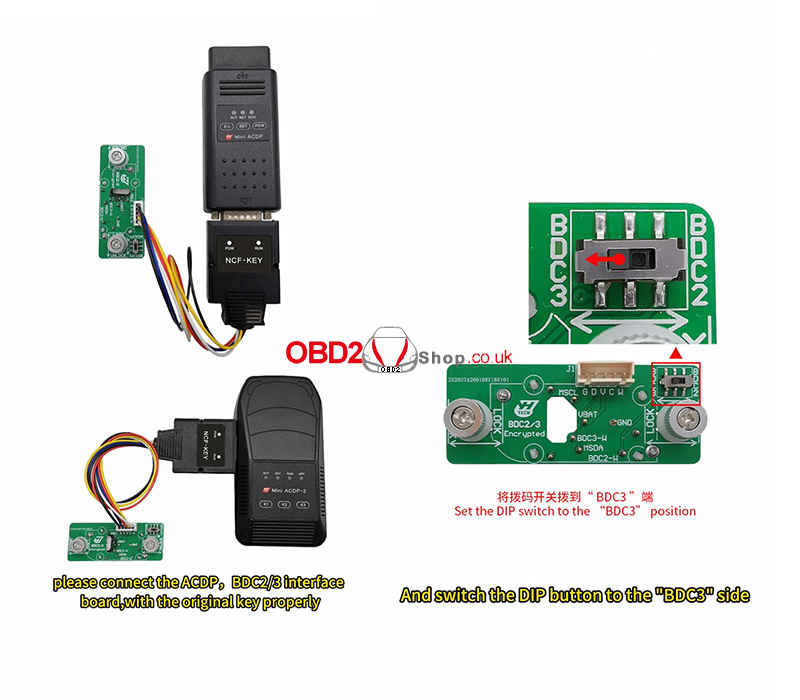
Properly connect:
ACDP programmer
BDC2/BDC3 interface board
Original key
Switch the DIP button to the “BDC3” side.
Step 2: Read Original Key Data
Open the ACDP APP.
Confirm in the top right corner that the ACDP programmer is successfully bound.
Navigate to:
[BMW] → [FEM/BDC] → [IMMO/Mileage] → [BDC02/BDC03/BCP/LCD-KEY (Encrypted Chip) ICP CopyKey] → [BDC03-KEY (Square Main Chip)] → [Read Orig-key Data]
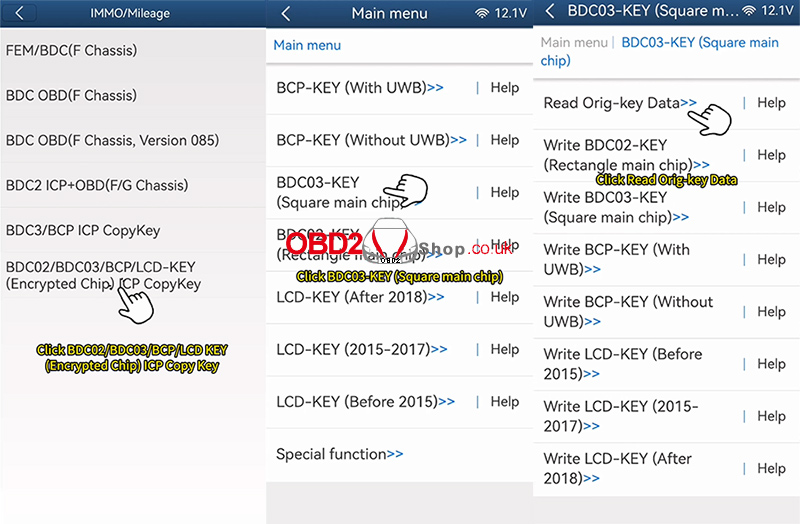
Use the ACDP standard power adapter (12V, ≥2.5A).
Click [OK] to continue.
Wait while the system reads the key data.
After reading:
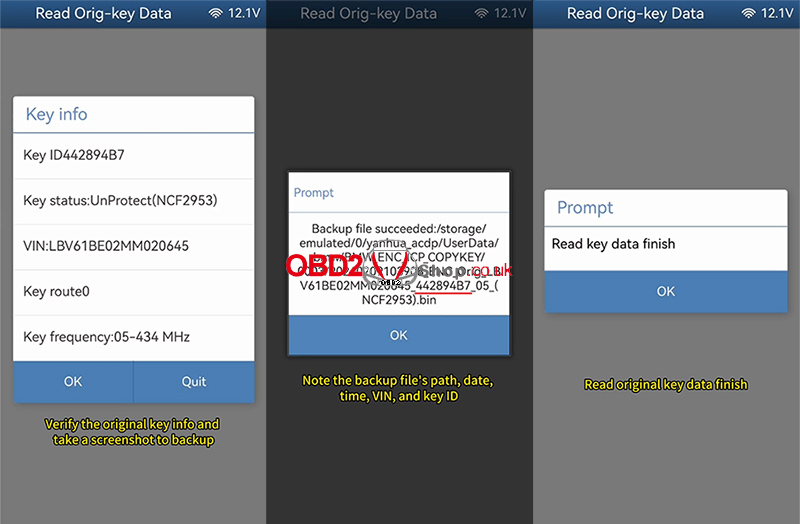
Verify the original key information.
Take a screenshot for backup.
Record the file path, date, time, VIN, and key ID.
Ensure the backup file ends with “.bin”.
Confirm the reading process is complete.
Step 3: Write Data to the New BDC3 Key
Select the corresponding menu according to the new key type.
In this example, we replace the original key with a new BDC3 key.
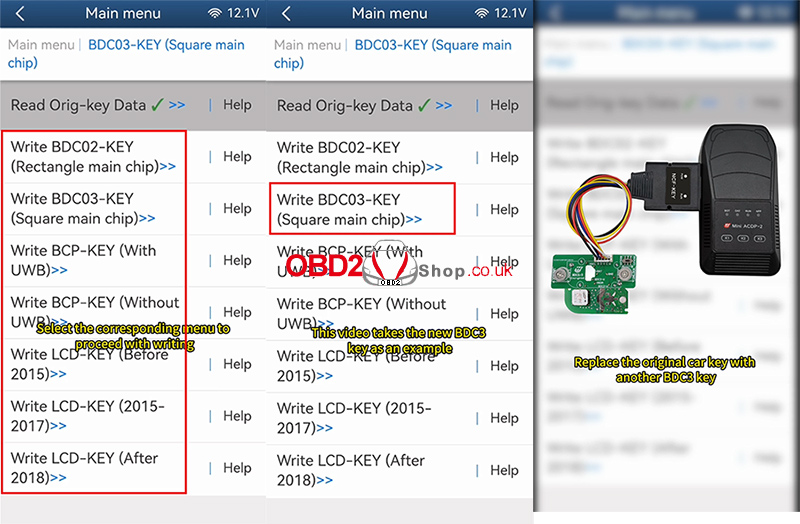
Click:
[Write BDC03-KEY (Square Main Chip)]
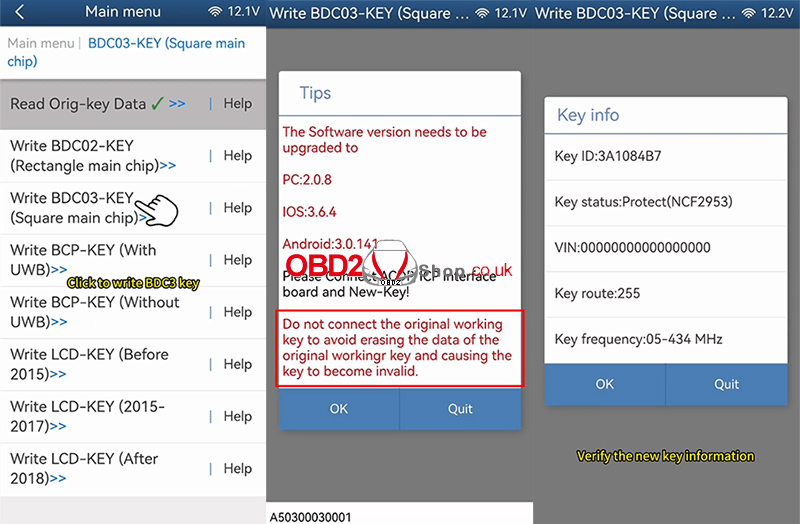
Use the ACDP standard power adapter (12V, ≥2.5A).
Click [OK] to proceed.
Verify the new key information.
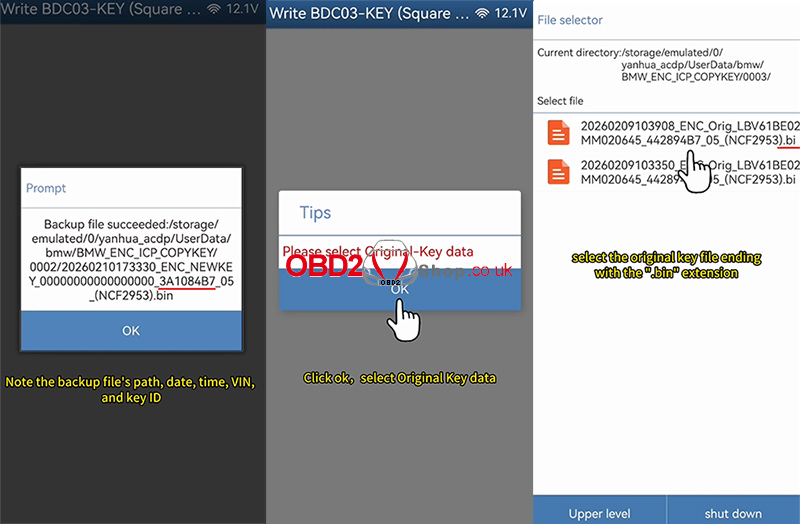
Record the backup file path, date, time, VIN, and key ID.
Ensure the file ends with “.bin”.
Next:
Click OK and select the original key data file.
Choose the correct file based on date, time, VIN, and key ID.
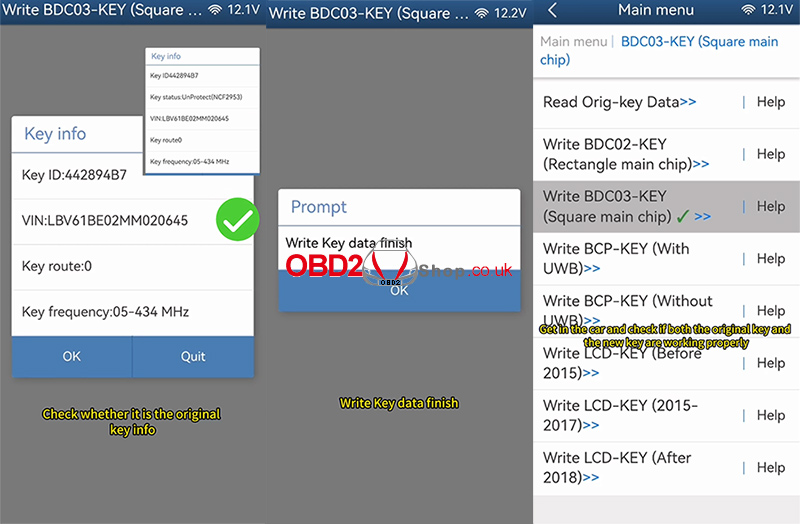
Confirm it matches the original key information.
Wait while the system writes the key data.
Once finished, the key writing process is complete.
Step 4: Final Verification
Reassemble both the original key and the new key.
Enter the vehicle.
Test both keys to ensure they function properly.
Video Guide
Watch the full operation video here:
For more professional automotive tools and guides, visit:
www.obd2shop.co.uk
