


This guide provides a streamlined walkthrough for copying a BMW BDC2 encrypted key to a BDC3 key using the Yanhua Mini ACDP2 with the BDC2 Solder-free Adapter.
Required Hardware:
Main Unit: YANHUA Mini ACDP/ ACDP-2.
Adapter: BDC2 Solder-free Adapter (from BMW Interface Board Kit).
Module: YANHUA ACDP Module 38.
Prerequisites: Software Requirements
Before starting, ensure your software meets the following minimum version requirements:
| Software / App | Minimum Version Required |
| ACDP PC Software | Version 1.064 or higher |
| ACDP2 PC Software | Version 2.08 or higher |
| Android App | Version 3.0.141 or higher |
| iOS App | Version 3.6.4 or higher |
Step 1: Prepare and Connect the Original Key
1. Disassemble the original BMW BDC2 car key to access the internal chip.
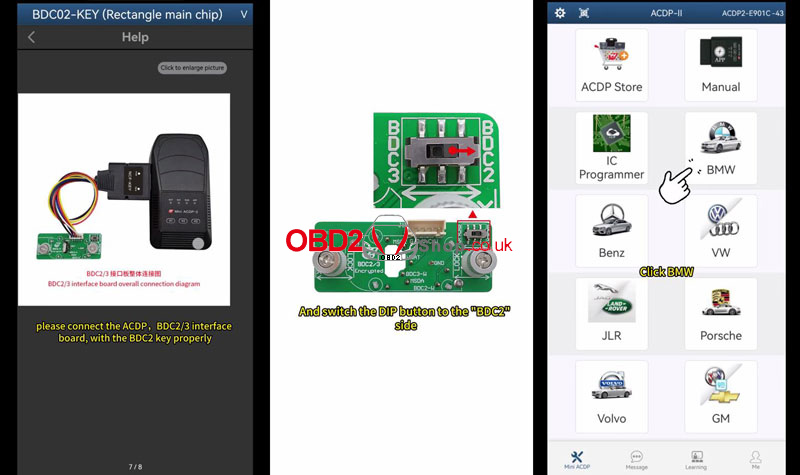
2. Connect the key to the ACDP BDC 2/3 Interface Board.
3. Set the DIP switch on the adapter to the “BDC2” side.
Step 2: Read and Back up Original Key Data
1. Open theACDP app and ensure your device is bound.
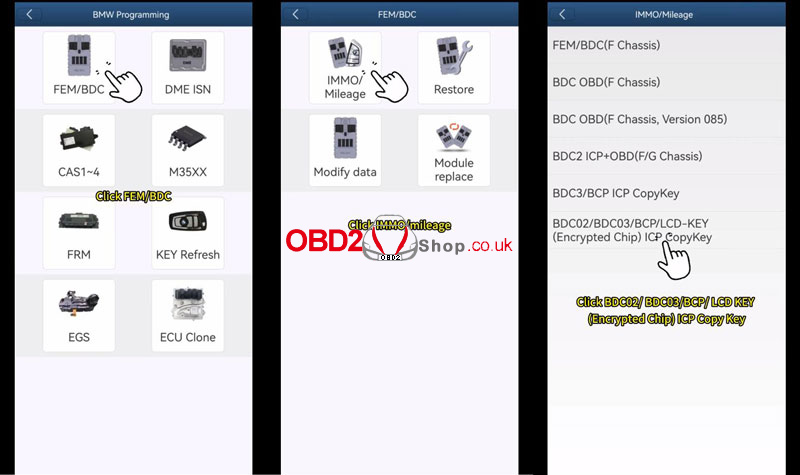
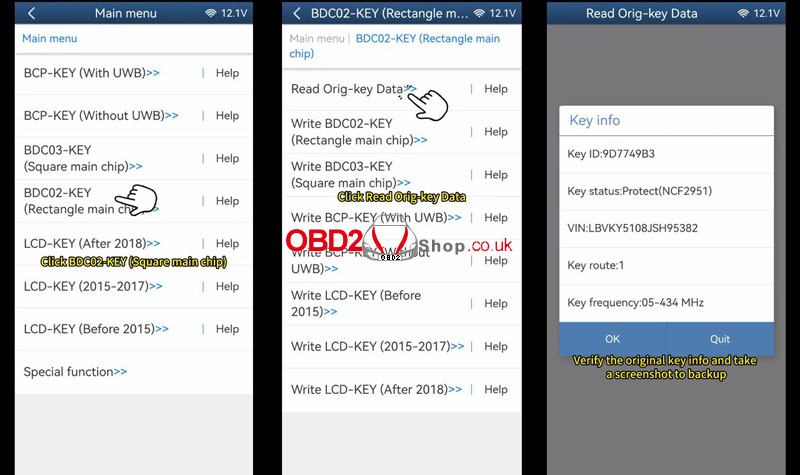
2. Navigate to: BMW > FEM/BDC > IMMO/Mileage > BDC02/BDC03/BCP/LCD-Key (Encrypted Chip) ICP Copy Key> BDC02-KEY(Rectangle main chip) > Read Orig-key Data.
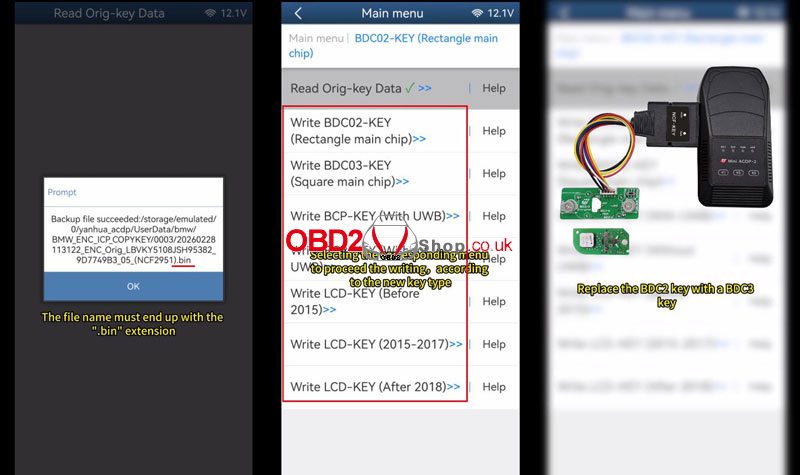
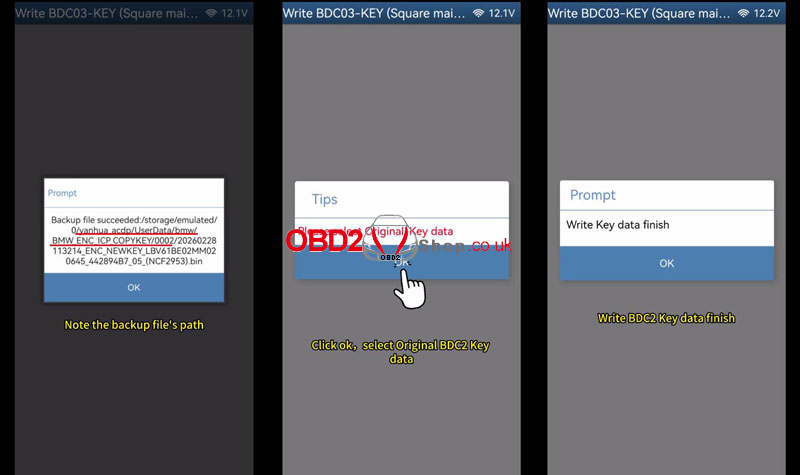
3. Verify and Backup: Confirm the original key information, take a screenshot, and save the data as a .bin file.
Step 3: Write Data to the New Key
1. Disassemble the new key (this method supports both brand new and secondhand BDC3 keys).
2. Swap Keys: Remove the original BDC2 key from the adapter and replace it with the new BDC3 key.
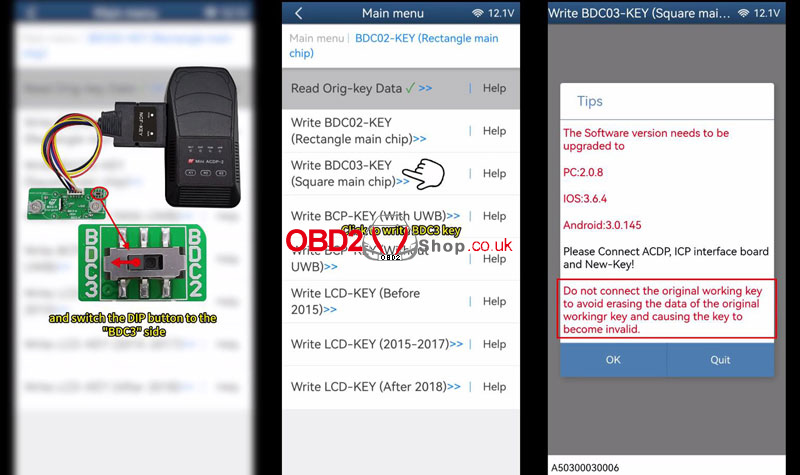
3. Toggle Switch: Move the DIP button on the adapter to the “BDC3” side.
CAUTION: Do not leave the original key connected during this step, as it may cause data loss or damage.
4. Select Write BDC3-Key (Square main chip) in the app.
5. Load Data: Select the original BDC2 backup file (.bin) based on the correct VIN and Key ID.
6. Follow the prompts to finish writing the data.
Step 4: Final Assembly and Testing
1. Reassemble both the original BDC2 key and the newly copied BDC3 key.
2. Test both keys inside the vehicle to ensure remote functions and ignition work correctly.
Video guides:
