


This guide explains how to export vehicle model folders from the Yanhua ACDP Android app.
Step 1: Preparation
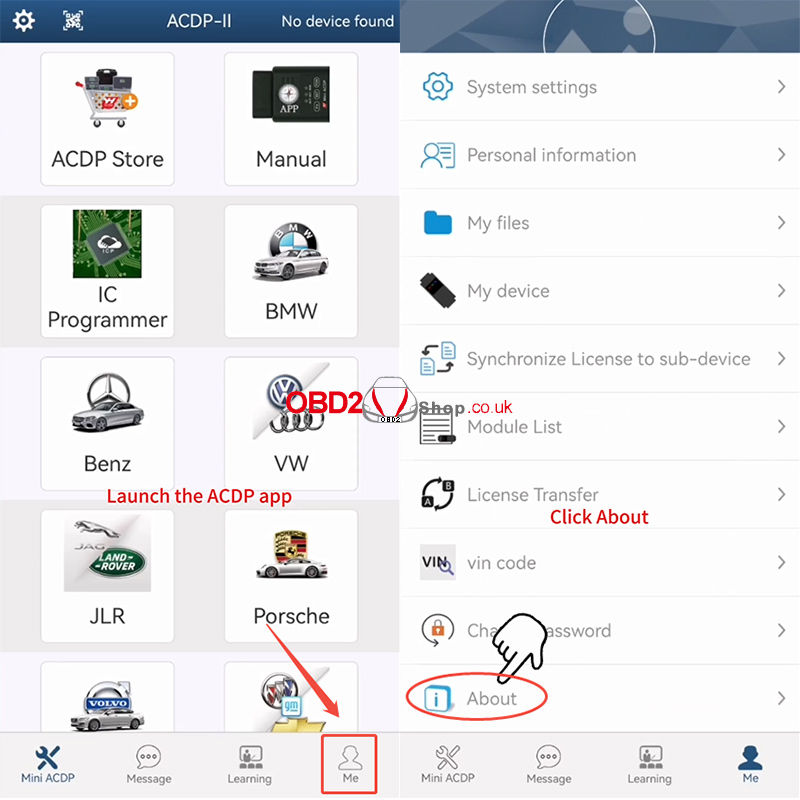
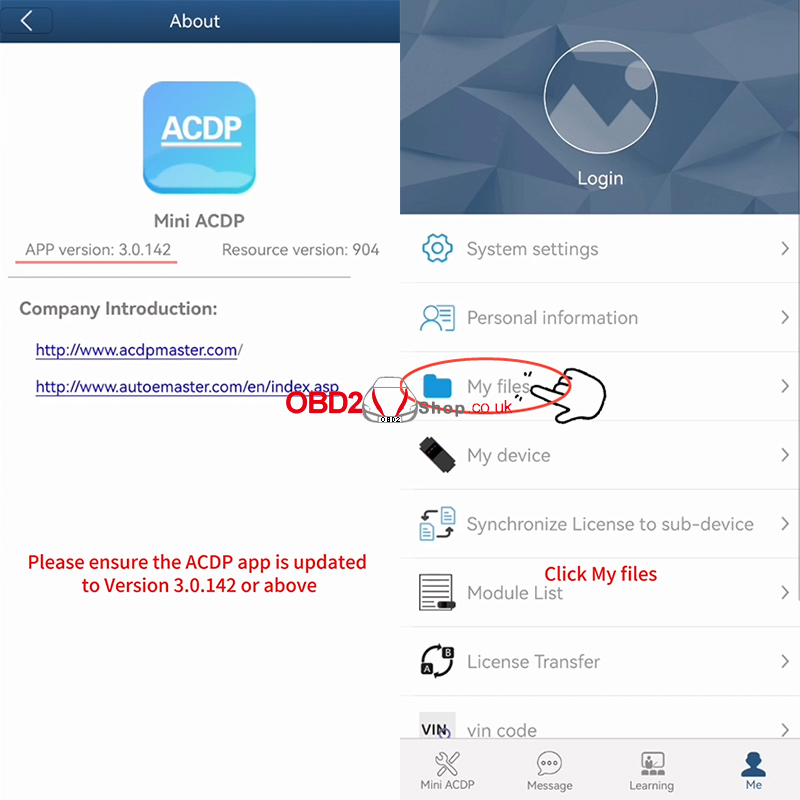
Ensure your ACDP application is updated to Version 3.0.142 or above. Launch the app and navigate to the [Me] tab, then tap [About] to verify your version.
Step 2: Access Your Files
From the [Me] section, tap [My files]. You will now see a list of all vehicle model folders you have previously worked on.
Step 3: Compress the Target Folder
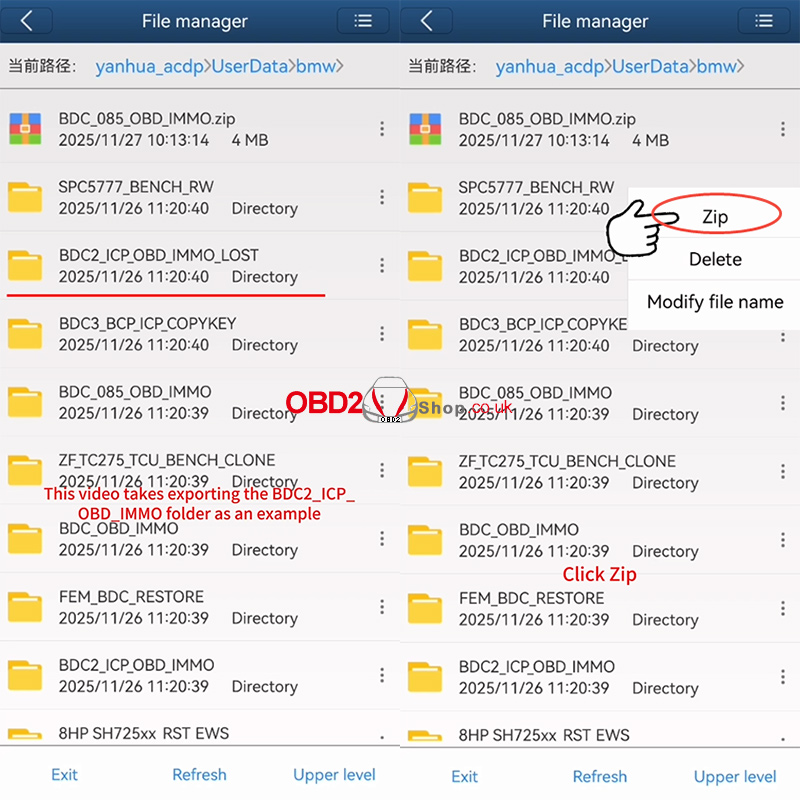
Locate the specific folder you wish to export (e.g., BDC2_ICP_OBD_IMMO). Tap the icon on the right side of that folder and select the [Zip] option from the menu.
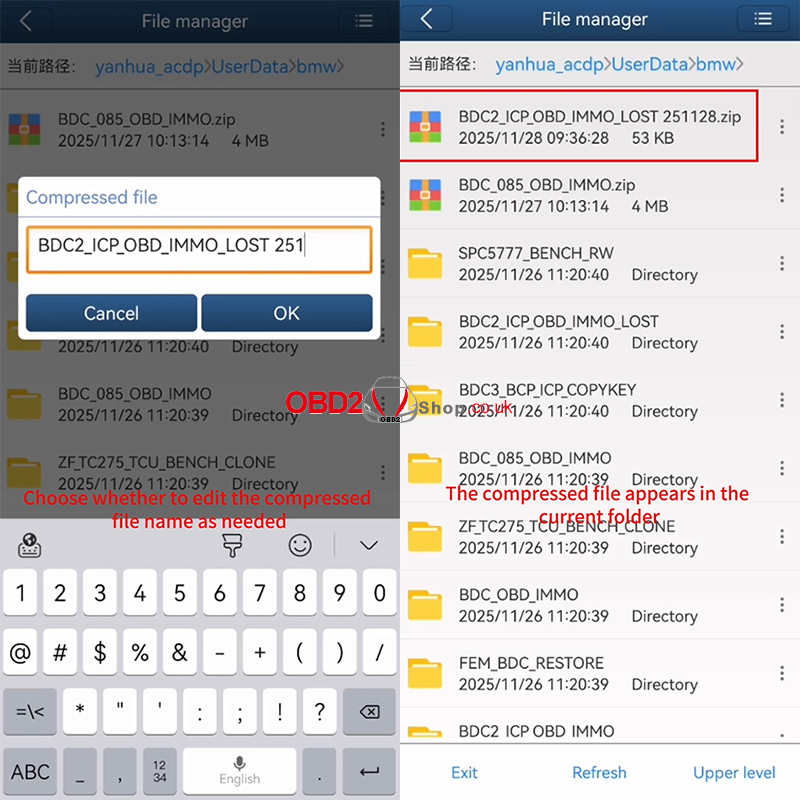
You can edit the name of the compressed file if needed. Confirm by tapping [OK].
Step 4: Share and Export
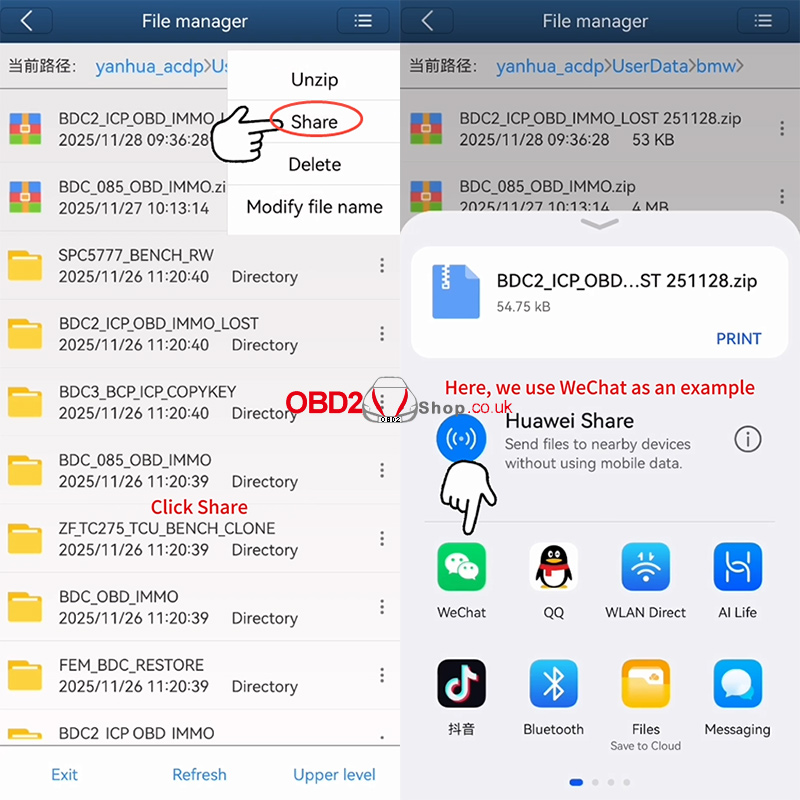
Once the compressed .zip file appears in the folder list, tap the icon on its right side and choose [Share].
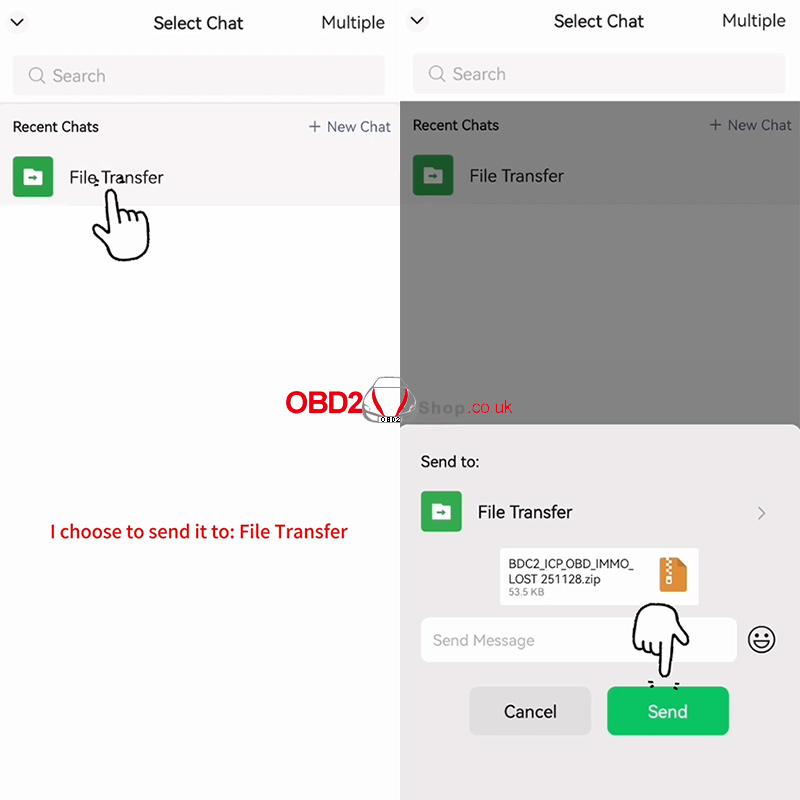
You can now export the file using any third-party application. This tutorial uses WeChat as an example—simply select WeChat and send the file to a contact or group.
Video Guide:
For more information, please visit www.obd2shop.co.uk
